I'm maintaining a gallery of split mechanical keyboards, including the Ultimate Hacking Keyboard.
Hopefully it's helpful for a quick overview of the options that exist. Many of these keyboards are DIY (available as a kit, or sometimes just a PCB and case plan), but some are available assembled.
A friend of mine is one of the nerdiest guys I know but has suffered from RSI most of his life. He exclusively uses DataHand keyboards (which he buys used and refurbishes or parts out). I notice you don't have a picture of those in your gallery. It's an interesting idea (having 5 switches per finger without moving your hand) but I'm more hopeful that chording will become the default.
I've added it (though as it's unavailable, it doesn't show up by default). I've also added the Lalboard (http://lalboard.com/), which is an open-source project to recreate it.
Yes, exactly right. If you are going to make the jump it's smart to do it all the way. Intermittent steps will help some people, but won't always solve the RSI problem fully.
What a great site, thanks. Really brings home how strange this corner of the market is. Every split keyboard with nice keyswitches has a different layout from every other, and most of them miss one or more of F keys, symmetrical meta keys, standard navigation cluster layout, volume buttons, and so on. Quite extraordinary, considering how much this type of device relies on muscle memory to work. It's like their designers want the device to be less useful, not more!
Particularly annoying when there's such a wide range of non-split keyboards with nice keyswitches. You've got all the bizarre layouts you can eat, but you still get the option of a more standard one too.
I wish people would just copy the MS Natural Ergonomic 4000, but with better keyswitches.
People tend to use layers to get at extra keys like F keys, volume keys, etc. I think it goes too far when they omit the number row, but honestly I mostly type numbers in a numpad layer, so I see the appeal. Basically, people see pressing two keys at once as less work than moving their hand off of home row, and being one of those people myself, I think it's the right thing. I fear that the standard keyboard layout was chosen for discoverability, not productivity. Giving your two best fingers (the thumb) one key between them (the space bar) is kind of crazy, in my opinion. Once you accept that your thumbs can do different things, and even many different things, the keyboard layout design space is significantly enhanced.
Having said that, I did make myself a split ergonomic keyboard with a full set of keys (107, if I recall correctly). Here's a picture:
I ended up not liking the arrows where they were (was used to the Ergodox layout where they are not an inverted T but wrap the big right thumb keys) and stopped using it. Having the number pad was great for Blender, but hard to reach.
With cheap keyswitches, cheap microcontrollers, and cheap 3D printers around... there is no reason not to build a keyboard that meets your exact requirements. I use an Ergodox EZ, though, but may experiment more in the future.
> most of them miss one or more of F keys, symmetrical meta keys, standard navigation cluster layout, volume buttons, and so on
This is why I made the gallery -- it's an easy way to compare a lot of options, even if not all options have filters.
I have just added the C989 Ergo, which was mentioned elsewhere in the discussion. That seems to be the closest mass-produced, mechanical keyboard to the MS Natural: https://c9ergo.com/
> I wish people would just copy the MS Natural Ergonomic 4000, but with better keyswitches.
I replaced my MS keyboard with a Kinesis Gaming Edge - it's a pretty good replacement, and I've found being able to separate the two halves of the keyboard and put them about shoulder width apart makes for a very nice typing experience. No numpad, and I'm not a huge fan of the home/end/pgup/pgdown placement, but you can add a numpad in a second later if you want to.
If you’re already typing correctly, you’re relying on muscle memory. Adding some layers into the mix isn’t too much of a leap. I would argue that a good split keyboard is much more useful than a standard keyboard; better positioning for ergonomics or desk space, easily stowed when not in use, truly programmable (firmware not software) that works between systems with little or no setup and a keymap that works for the user instead of against.
I like having all my often used keys in the home row. I don’t have to move my hands to use arrow keys because I use vim bindings on a layer. Hyphen,underscore, grave and tilde are on the home row, too. I can program a key to be a combination of key presses, too. My workflow is much improved using my own custom keymap and keyboard.
>It's like their designers want the device to be less useful, not more!
The main focus of most of these keyboards is ergonomics. Even if it comes at the cost of learnability.
This is also why there's a lot of variation. People are dropping and moving keys to deal with things like hand size and existing RSI.
>I wish people would just copy the MS Natural Ergonomic 4000, but with better keyswitches.
You can probably get someone to 3d print and solder you a one-off keyboard that fits the bill. It's doubtful anyone other than MS will mass produce such a thing though.
I have used ergonomic keyboards for long time. Some have been passable, such as one or two models of Adesso and Microsoft keyboard. Nothing has offered the combination of qualities that the Goldtouch offers. Comfort, robustness, adjustability, cost.
That's a great gallery! I would add the Kinesis Freestyle Edge (https://gaming.kinesis-ergo.com/edge/) , which adds mechanical switches and macro keys.
Looks like the filtering is a bit strange. If I filter mass produced only then ergodox ez is misisng, if I filter source only then ergodox ez is missing, but if I filter both then it appears? I know it's both open source and mass produced but filters should display the keyboard if at least one of them matches...
I've fixed the filter. I'd tried to do it entirely with CSS classes, but I think that was unrealistic.
(I also removed ErgoDox EZ, leaving only ErgoDox. It's the same design, and other keyboards where there are one or more manufacturers making the device to whatever quality aren't split out like this.)
This is actually Truly Ergonomic's second of their keyboard. The fact that their site has wiped any existence of the previous version is not encouraging.
I come to keyboards from a slightly different background. I am missing a couple of fingers, on my left hand two fingers and one thumb can reach keys, on my right hand three fingers and a thumb can. I never learned "home-row" typing or any other fixed method, but I can comfortably touch type above 60 words per minute. This is a point of pride for me.
I resisted the idea of split keyboards for quite a while because my right hand, with its greater dexterity, was responsible for more than half of my typing efforts. However, I got one last year (Kinesis gaming, tented, wrist rests, MX Blues). It actually helped me retrain my typing to be more evenly distributed between my two hands.
Later, when I was transcribing interviews for my book, I was typing for hours at 40-50 words per minute. I started out doing this on my laptop, but I got substantial hand pain from doing so. I started only transcribing in my dorm room, where I had access to the split keyboard, and it fixed everything. One day I typed more than 9,000 words without pain.
In summary, the benefits of ergonomic/split keyboards are real.
Alternate, no, as the ergonomic benefits are designed for someone with a different typing pattern. For example Dvorak wants more typing done with the left hand, which only has a middle and ring finger, plus a spacebar thumb.
Custom, maybe one day. My grandfather was an author, he wrote his novels with a typewriter. He had a fantasy of building a typewriter the size of a room where you wrote with boxing gloves, punching the keys. I'd like to have something like that one day.
The trackball thumb module is a great idea - being able to mouse without moving my right hand off the keyboard would be ideal (you can buy an actual mouse to use for FPS games if you want that). For anyone who is seeing this and thinking they need to upgrade though, know that you really don't have to spend $300 to get a good-quality ergonomic keyboard. The Goldtouch GTN-0099 can be found in like-new condition for $60 on ebay. The Kinesis Freestyle2 is around $100-130. Neither of these have mechanical keyswitches, but I've had a mechanical keyboard before and can tell you the tactile novelty wears off within a couple of weeks. High-quality non-mechanical keyswitches are just dandy these days. So do question whether you really need to plunk down $200 extra for mechanical.
Separately, if you care about ergonomics enough to be interested in your keyboard, don't neglect your mouse - usually a much worse culprit for wrist issues. I recently switched from a vertical-style ergonomic mouse to a trackball and it's enough of a difference to make me a zealot! I bought the Kensington vertical model with a thumb trackball. My small remaining wrist issues are no more.
Regarding mouse usage, the UHK has a mouse keys layer by default and personally I have stopped using a mouse entirely. I did not especially try to drop my mouse, but over time I noticed I didn't reach for it anymore. I can now use the mouse keys for everything, though I don't do any drawing on the computer regularly and I have a mouse for gaming. In fact I don't know if I'll make much use of the trackpoint module when it arrives, but let's see. :)
If you drew regularly you'd have a drawing tablet and a stylus, anyway. Mice are not good for that.
(I am an artist and my Wacom drawing tablet has almost completely replaced a mouse for me, the only time I plug one in is when I want to play a game that requires me to move its view by pushing the mouse cursor against the screen's edge.)
> (...) I've had a mechanical keyboard before and can tell you the tactile novelty wears off within a couple of weeks.
I'm not sure I follow your reasoning. As a mechanical keyboard user, "the tactical novelty" doesn't even register in the "pros" column. As a professional software developer I use mechanical keyboards because they are far easier to clean and maintain, and are actually repairable and don't become trash just because a key happens to crap out.
Mechanical keyboard users I've known all became obsessed with them and never stayed with the same model for long, rendering their longevity irrelevant.
For _tactical_ use, I rely on my trusty model M, with metal base plate. For home defense, it is without equal. ¯\_(ツ)_/¯
The rest of time I greatly prefer the ergonomics of the old thinkpad keyboards w/ track-point, but the external ones are expensive and sucky, imo.
I also sometimes move my mouse to the left side of the keyboard so that I can have better, more symmetrical posture. I would really prefer to have a small external USB trackpoint that I could simply place beneath my spacebar, but sadly no one seems to sell this.
This person even hacked their own (https://github.com/feklee/usb-trackpoint), but I haven't found the time or motivation. I bet I'm not the only one who would pay a handsome margin -- business opportunity?
That UHK pointer module would solve my ergonomic problems better than mousing backwards, and might be worth the price by itself.
It's your own personal anectode and all. If you see plenty of people using the same el cheapo keyboard until it breaks apart from all the encusted breadcrumbs and hair and dust and microecosystems, I don't see what's hard to understand about how people who spend more on keyboards also do the same.
Especially for routine computer use, I just swap my mouse to the other side of the keyboard and use my non-dominant hand. It takes a bit of getting used to, but I can mouse with either hand pretty seamlessly unless I'm gaming.
It really helps with wrist issues. I also prefer a split keyboard.
I see it like this: if there is anything you use more than a an hour a day, get a thing that feels good, is functional and makes you happy.
Just like different guitars play differently, just like different shoes feel differently, different keyboards feel differently too.
If you are fine with a non-mechanical one, no need to defend yourself. Some people like clicky mechanical keyboards, some like linear ones, some want a heavy touch, some a light touch, some don't feel any difference at all, etc.
A good keyboard will last you at least a decade, multiply these hours by that and even 200$ would be nearly next to nothing given the time you use it. Do you really need it? Probably not (unless you use it for ergonomics). But if you can afford it, why not.
People talk a big game about how durable these pricy mechanical keyboard are, how they can be repaired and last forever, etc. I don't think it works out that way. Looking through these comments you can see people with the Ergodox EZ asking whether they should "upgrade" to something slightly newer. Once you start chasing keyboarding perfection, the journey is endless. Minutae loom large; you're never quite satisfied. It's best to just buy something reasonable and learn to like it for what it is.
I will say the Kinesis Advantage2 people seem to be more or less permanently satisfied, though. So I am tempted.
Yep.. I bought a second hand Kinesis Advantage off ebay to "see if this would work for me". I used that one for almost 10 years and it was old when I got it. I had to use a usb adapter plugged into a ps/2 adapter into the original AT keyboard plug. Currently I have an advantage pro. Thinking about getting an advantage 2, but would only to get upgraded function keys.
After 3 years, I heartily recommend the Advantage2. Using it is simply more fun. I use mine with a trackpad sitting in the space between the two wells.
Creating those wells is, apparently, a tough engineering challenge, which is why so few commercially available keyboards have them, but they are what makes it so comfortable and effective. I consider the flat split keyboards to be pointless.
I'm overall very happy with my kinesis advantage, but there is something (subtle?) to be aware of: you tend to use your thumbs quite a bit to hit control/alt/return/space (especially with emacs), and after some time my thumb joints started hurting. Thumbonitis? :-)
I own a Kinesis Freestyle2. It's collecting dust because I've found the keyboard layout suboptimal. My thumbs would awkwardly reach inwards for the modifier keys.
Apple keyboards seem to have a different layout where the command key is lined up with the gap between X|C. Being a half key off took me a little getting used to.
I also like trackballs although I prefer Logitech's trackman thumb trackball.
I also gave the Kensinton Expert a try but I really disliked it. For one I think I just prefer thumb trackballs, but beyond that I found the build quality really shoddy for that price. In particular the scroll ring is wobbly and rattles quite a lot on my model, it feels very cheap and is unpleasant to use.
i really love the elecom huge, due to the fact that it has a lot of customizable buttons. the only downside is the scroll wheel that is not the best in the business and the position is unconfortable at first. but the trackballs for a long period usage are far superior in my opinion
I have a Magic Trackpad that is in a slightly angled iPhone holder so it "hovers" just in front and slightly over my keyboard. I can get to it without my hands leaving the keyboard (and in general the taps and glides of the trackpad are much better for my RSI).
Do you have a photo of this? Been thinking about a similar idea, but haven’t purchased a Magic Trackpad to try it yet. I am curious how the phone holder is angled.
Myself, I have been using a Kinesis RGB Edge with the "lift-kit" for about a month.
Have never been a perfect, trained touch-typist - so there has been a learning curve, but it is worth it.
My wrists feel so much better, and I am almost back to full speed. (Previously, I would just use laptop KB's).
The only complaints... Not from me, but when I am on web meetings, I have to be on mute, because everyone finds the KB noise too loud when I am typing... Lastly, very expensive, but much like my Ergotron monitor arms, this will likely outlast generations of equipment it is currently used with.
The Kinesis Gaming keyboard is my current go-to deck. The key layout is sane (nobody tried to nerf the "useless" ESC key), there are well-done macro and remapping features for light customization, and the LED lighting is actually something I appreciate for once (it's pretty).
Microsoft lost me in the 2000s with terrible key feel. I remember bouncing over to the company store for an Ergo 4000 and being incredibly disappointed; I could barely type on the thing. They continue to screw up (e.g., decent keyboards, with good feel and layout . . . but only bluetooth).
I have a couple of UHKs. They do not have an ESC key, something I hadn't internalized when I ordered them. I do not recommend them.
I currently use a Matias Pro. It has an Esc key, but the truth is I'd like Esc as close as possible. I've experimented with CapsLock as Esc but I prefer CapsLock to swap languages, which I also do often.
Ah, the troubles we go through for the perfect HID!
I've been using mine for about a year now. I love it. I'm not really an orthodox touch-typist so there were a few keystrokes that took some time for me to get the hang of. I'm pulling 100 WPM though so I must be doing something sort of right :)
The customization of both the RGB and the keys themselves as well as the ergonomics have been well worth it. I use a USB switch and use the keyboard for both Windows gaming and development on Mac.
One quirk of my typing style is that I use my right index finger for the space bar, so my left space bar effectively went unused when typing. I rebound the left space bar to the Command Key on my Mac profile so I can use my thumb for it like I would on a Mac keyboard.
I use it for gaming too. Sometimes I move the right side completely out of the way so I'm just using the left and my mouse.
I'm not saying these are all features exclusive to this particular keyboard. But a split keyboard was a great investment that I'd recommend.
I am on video calls between 3 and 10 hours every day. Krisp is where it's at, I've been promoting their product for free to hundreds of people since last year. Zero issues with mechanical keyboards and most typical noises. It doesn't work with loud sirens or kids, unfortunately, but it destroys any mech keyboard noise without a trace.
> It doesn't work with loud sirens or kids, unfortunately
What do you use for a microphone? I have a Shure SM57, bought to record guitar, that I have repurposed into my PC mic, and the reduction of background noise vs laptop/webcam mic is _enormous_. You can't hear my mechanical keyboard at all, and it's sitting about a foot from the mic. The SM57 isn't really a vocal mic, but it works great. I'm sure a more purpose built vocal mic would be even better.
If you are currently using a built-in mic then I think something like that in conjunction with a BG noise reducer would basically get you the rest of the way. You just need to figure out a configuration that works for you and keeps it (at least relatively) out of sight.
It also has the added benefit of hugely improving your audio quality.
Blue Yeti with their "Yeticaster" boom arm + shock mount. I tried feeding its audio back into my headphones with software (as I type this I realize I could've simply connected my headphones to the mic) to play with its settings, but the pick up patterns and gain level made a negligible difference to its mediocre performance at both sound quality and ability to not pick up background noise. My next mic will definitely be condenser/XLR, for now this is fine. I've neglected adding acoustic foam for a long time, I understand that can also help improve the sound.
One suggestion I can give you is to get a dynamic microphone. It won't pick up quite loud keyboards behind/below it (if it does, it'll sound like really soft switches).
I had a kinesis before they did the cool new upgrades with cherry switches and whatnot. I will probably buy one of those, now.
What's particularly great about them is that you can set them up vertically so that your wrists are completely neutral. Same concept as a vertical mouse, and similarly restrictive in its functioning.
Most people probably don't need this level of relief. Idk.
> when I am on web meetings, I have to be on mute, because everyone finds the KB noise too loud when I am typing
Have you looked into swapping out the switches? It looks like they aren't hot-swappable, but de-soldering switches isn't too difficult and there are a ton of amazing silent switches out right now. Check out Zealios for a great silent tactile switch.
I modded my Kinesis Edge with Holtite sockets to get hotswap capability.
I use Zilents on my daily driver. They're pretty quiet as far as mech switches go, but still a lot noisier than a standard laptop keyboard. No complaints so far.
It's too bad they don't offer them on the Edge, but if RGB lighting isn't essential they have the 'quiet red' switches available on the Freestyle Pro, which is basically the same model without the backlit keys.
* using it in full vertical is hard because there's two columns of buttons on the left & extra buttons on the right side. i diy but there is a "Ascent" package for some keyboards for full verticle. less arm twisting as you type; it's amazing, keyboard not stellar for it though.
* the stock "split" cable at 18" is pretty skimpy. the used to be an XL cable but even it was not super long and i don't see it on their store right now. RSI is about changing your posture, & when i literally use two keyboards & can put them wherever, i find myself sometimes going into a "butterfly stroke" (from swimming, arms out) position for some variety. and even basic adjustment is pretty limited at 18".
> The only complaints... Not from me, but when I am on web meetings, I have to be on mute, because everyone finds the KB noise too loud when I am typing...
I was in a similar situation with my pok3r keyboard. I started to lower the microphone volume and people stopped complaining ymmv
I got the Freestyle Pro from them with Silent Red keys and have been happy with it. I was worried about the key noise since my office mate (who is also my wife) has complained that my chair is too loud. No complaints at all about the keyboard.
The Kinesis Freestyle2 is great for me. The adjustability and feel work for my needs. Being able to prop up each side for a standing desk is very useful.
I used the microsoft natural keyboard for years and now the kinesis freestyle. I don’t know why split keyboards aren’t more popular. Proper ergonomics are important or your career could be interrupted due to RSI.
There's way too much emphasis on the mechanical switches among the community.
I got infatuated with mechanical keyboards with Cherry MX switches about 10-12 years ago and gave myself RSI from using them.
I kept trying different ones assuming it was the design of the keyboard.. there was so much non-scientific belief that mechanical switches are better for RSI that I had a huge blind spot. I went through Das Keyboard, Kinesis, Truly Ergonomic, and a bunch of others and it never would go away.
When I finally ditched the mechanical switches it went away... the MS keyboards seem to be the cheapest/easiest to get that have nice non-mechanical switches and work for me.
No problems for years now using the MS ones.
The boutique manufacturers selling mechanical switch keyboards market them as better for RSI without much proof meanwhile for some of us the longer travel on those switches might actually be the cause.
I started out using Microsoft Natural keyboards in the 90s. Ergonomic pain using straight keyboards at work brought me back to them in the 2010s. The Sculpt (wireless) is really wonderful.
Favorite keyboard ever for me. (<-- that sentence, and this one, typed on a Sculpt. Thank you, unknown engineers.)
I've been using Microsoft Natural keyboards for 20 years now.
I used to suffer terribly with RSI from years of typing on crappy keyboards, with bad posture and not enough breaks.
The Microsoft Natural keyboard has been good to me - I haven't had RSI twinges for 10 years or so now!
I'm typing this on a Microsoft Natural Keyboard Pro which Wikipedia says was introduced in June 1999 - round about the time I got it. I wish it wasn't white as it really shows the dirt, but the media buttons are the best!
I've got two and I switched to the backup recently as my main one got really dirty and I haven't had time to clean it.
The MS Natural 4000 is very good too - I had one of those at work for over 10 years. I did wear the legends off but hey - who needs to see what key you are pressing anyway! Just don't press F-lock by accident as you'll be wondering for ages why your function keys aren't working.
I like the front stand of the 4000 to put the keyboard up a bit at the front. It is very good for encouraging good posture.
(The other thing I did to help with RSI is switch hands with the mouse. It took quite a long time to get used to using the mouse with the left hand but it really made a difference as my right wrist was worse than my left wrist. I'm now ambidextrous with the mouse - the only thing I can't do is draw with the mouse with my left hand!)
I do love the sculpt but they tend to die within a couple of years. I went through two of them before switching to something more durable. The build quality is just bad - many times my computer was behaving weirdly, traced to one of the function keys being stuck down (this also manifested as the keyboard eating new batteries within a couple of days).
This is my exact thought. I love it, but I'm about to retire my second one. It's almost worth just paying the price for a new one every couple of years though. I have two of the older Microsoft Natural keyboards from decades ago that I periodically switch to and they will probably last another 20 years.
I've got two MS Natural Ergonomic Keyboard 4000s in my cupboard. I'm currently on a Sculpt, but much preferred the 4000s. Unfortunately I uncovered their weakness - humidity.
I work from home with evaporative cooling over summer.
The first unit lasted a few years, but died on a humid summer day. Next one only lasted 12 months, again dying on a humid summer day.
First unit is irrecoverably dead. The second would come back to life after pulling it apart and cleaning with isopropyl alcohol, then die again a few days later (during summer). Issue is that the humidity seems to short the key matrix. If not careful it makes for some awkward typing mistakes.
The Sculpt seems a bit more resilient to humidity.
Yes, the MS Naturals absolutely dissolve when exposed to water. I've destroyed at least a half-dozen over my lifetime by spilling small amounts of water on them. Only takes one drop to destroy some keys. Just after I finished high school, in the mid-2000s, I stocked up and bought four of them. Two of them have been wrecked since then, but the other two are still going strong. Still haven't seen a keyboard that I want to replace them with, but at some point, these will give up the ghost and I'll have to find something new to try.
I've been using split keyboard my entire career. Started to get pain in my hands during my internships so I bought an MS Ergo keyboard and never looked back.
Used the sculpt for a while which I adore but I had to go back to MS's wired keyboard because the dang thing just doesn't want to stay connected to my Mac.
I hated that I couldn't find a good, split, long travel (mechanical) keyboard so I built my own. It was a fun, if expensive, learning experience. I use it every day (right now even) so it's worth it.
I wish there was something readily available like the Microsoft Natural Ergonomic Keyboard 4000 but with mechanical keys. Change the spacebar into two pieces to avoid the need for custom keycaps if you like. Most/all of these fancy split keyboards are missing something, like this Ultimate Hacking Keyboard has no numpad or multimedia keys.
I'm currently using a Varmillo 110% mechanical keyboard that has all the fancy keys (music/mail/calculator/My Computer keys, numpad, and multimedia keys on Fn-pressing the F keys). But it's not ergonomic; there's no curve, wrist rest, or option for a negative tilt.
A lot of mechanical keyboard options are more for show than practicality, which is a bit sad considering mechanical keys are nicer to type on.
Elsewhere in the discussion is mention of the C989 Ergo, which seems to be the closest mass-produced, mechanical keyboard to the MS Natural: https://c9ergo.com/
I would love a reasonably priced keyboard that was the ms natural keyboard with mechanical switches. (I know people have hacked together their own but I'm not that committed to the keyboard shape.)
I like Topre's switch (actually it's non-contact switch so its feeling is comes from rubber dome) than mechanical but there's no split keyboard available. I wish they or other manufacturers make it.
I recently shopped for split keyboards, and the only real reason I didn't go with the UHK was price. It isn't exactly an Apples<->Apples comparison since I would have gotten accessories like the touchpoint for the UHK, but I went with a Kinesis Freestyle Pro instead and I have liked it a lot.
The biggest benefit to me wasn't the split, it was the programmability which both the UHK and the Freestyle Pro offer. I use the right half of the spacebar to change layers and have mapped the arrow keys to IJKL on the function layer. This plus remapping Caps to backspace has let me keep my hands on the home row MUCH more than typical and has made me more comfortable and a little more efficient.
My only complaint about programming the Kinesis Pro keyboard was the the order of key presses matters when using my remapped arrows in combination with command or option to move by a word, or to the beginning of the line: I must press the Fn shift key (the right half of my spacebar) before any of the modifier keys. This was very annoying at first, but my muscle memory caught up with it fairly quickly. I really like the fact that the UHK has fully customizable firmware and that would add some value to me, but maybe wouldn't matter too much to most people.
I've got two ErgoDox Infinity keyboards that I believe are about as ergonomic as you can get until you're willing to have only one key per finger. I'm in the process of forming the mold for a chording keyboard (and hacking platform). My intention is to create separate left and right hand molds based on a spherical-section that match the shape of a relaxed hand (think of watching an accomplished pianist). I'm going to start out with a layout/chording scheme something like ASETNIOP (http://www.asetniop.com/) using some of the stenography techniques I've read about to make it more universal.
I should note that after using the Ergodox keyboards for a while, I definitely believe in letting the thumbs do more work!
I've been building boats using woven glass-cloth and epoxy resin but this will be my first experiment using carbon-fiber cloth. I should have noted that ideally I'd like these to be both light and tough enough to throw into a laptop bag.
Disagree whole heartedly. The benefits of ortho is minor compared to the split, but it’s still there. And if you’re already willing to buy an expensive split mechanical keyboard, what’s the drawback?
Counter anecdote; I switched to split ortho a couple weeks ago and it didn't take much more than a week of consistently using only the new keyboard to get back up to normal speeds. The ortho seems to have made it much easier for me to touch type, as a result of which I now make fewer errors and generally barely ever consciously think about the actual action of typing.
What I noticed is that people who are really good at (properly) touch typing on a staggered keyboard have more difficulties adapting to a linear one.
In my example, I type around 80 wpm on a regular keyboard, but I've never learned and used the proper key->finger assignment - I just type how I adapted over the years. So for me there was no trouble switching to proper technique on an ortholinear. I'm not yet nearly as fast, but it feels like it's 3-4 times easier to type (ie. less finger movement).
I don't know, I never learned proper touch typing, but I went from 100 WPM to 80 when I learned to touch type on the ortho keyboard. You're right that there's less movement, but I find it a bit less... convenient.
i'm definitely not as fast as i used to be (somewhere around 120 wpm as a non-touch-typist) after 2 years of typing on an ortholinear keyboard, but I don't really mind. I'm much more comfortable and my fingers don't hurt as much.
I went from ~110 pb, 100 average (on common word typing tests) on row-staggered QWERTY with an untrained hunt-and-peck to ~105 pb, 100 average (on common word typing tests) with Dvorak layout on an ortholinear keyboard.
I'd already spent the time to learn Dvorak layout on row-staggered keyboards. Having had that training, picking up an ortho was straightforward. (Although my average wpm on typing tests after picking up the board would've been ~90).
I suspect if all your fingers 'know' is where the keys are (rather than following discipline of 'column per finger'), then adjusting to ortholinear would be harder.
Agreed, it didn't take long for me to learn to use the Advantage. But before that I had tried it a few times and got frustrated that I wasn't immediately able to use it. I'm glad I finally took the time though, because I love this keyboard.
I think the advantage is way easier to use and way more comfortable than any of it's 'flat clones'. I've been on one advantage or another for about 20 years. I picked up a used ergodox awhile back because they look kinda cool and I wanted to try out a split. Resold it only a couple of weeks later because it's 'just worse' than an advantage. You hands need to be huge (and mine are) and it still feels like you are reaching all the time. The thumb cluster is way less comfortable.
Since I printed/wired myself a dactyl. Great little kb.
It takes a few weeks to retrain muscle memory, to be sure, but I've found that once you get used to it, you actually make fewer typos because your fingers are moving in a more predictable/logical up and down pattern.
Non-split ortho is silly, but with split layouts I find them vastly more comfortable, especially for the left hand.
The only thing I had to relearn were the keys on the bottom alpha row on the left side, because on a regular keyboard I would tend to offset them by one column (i.e. type C with the index, X with the middle finger etc...) but with an ortho I didn't need to anymore. And the only reason I needed to offset them in the first place is because standard keyboards have such a bad layout for the left hand.
I've loved learning how to use ortho keyboards. They open your brain to new text editing possibilities. Just like how learning Spanish teaches you about English and learning new programming languages teaches you about what's possible with code. They improved my typing accuracy and got rid of my right pinky pain too. I agree that they're not for everyone.
Can't speak for OP, but I've found that staggered layouts are rather non-standardized when it comes to the severity of the slant. As a consequence, my muscle memory is all over the place when touch typing, especially for the third row (ZXCVBN).
Ortholinears, of course, are all exactly the same, which lets me type with more confidence. I don't type any faster, but I do suffer fewer typos for words that require multiple row switches.
Yeah there, in my experience, keyboards can come with generally two different layouts for the bottom alpha row, it's a slight move, only about half a unit (where a unit is the width of one key), but it's significant.
Emacs keybindings like Control-x Control-c don't work for me on regular keyboards. They work just fine for me on ortho keyboards with an easily accessible control key for my right thumb.
Ortho keyboards got me in the habit on using modifier keys on the opposite side of the keyboard from the shortcut key. On a regular keyboard, I'll type Command + c with my left thumb / left index finger with an unergonmic movement. On an ortho keyboard, I use my right thumb + left middle finger for the same motion.
For Vim, I started using Control + c to escape with ortho keyboards, which keeps me on the home row.
None of these are huge productivity gains. But a fun way to shock your brain and to stay sharp.
My typing speed has increased from 65 wpm to 80 wpm after switching to a split ortho keyboard. Took just a couple of weeks to get back to my old speed.
I've had an Ez for years and I'm typing this on my brand new Moonlander. I think it's nice, but I don't think it's that much of an upgrade over the Ez. The new thumb cluster is a bit better than the EZ IMO, but it's not a complete win because of the hinge that creates a pretty wide gap between the main board and the thumb cluster.
I don't regret my purchase but if I were you I'd wait for something a bit more consequential, maybe a Moonlander Mk2. Or a more drastically different keyboard, like a manuform or a kyria for instance.
I was going to buy an EZ myself but went with the Moonlander because of the smaller size as it felt counter productive to have a split keyboard for ergonomics but have my hands hurt because they keep stretching to reach the thumb cluster.
I just learned about this last night, and was really considering it. One thing that I wasn't sure about is the size-- I already love the ergodox I've been using for the last 6 years, and reddit says the moonlander is much smaller feeling.
Huh, smaller could be better. I have huge hands but do not utlize a lot of keys on the Ez: I basically use home row and the big buttons in the thumb cluster ...
If you have smaller hands, consider a Kyria. I use an Ergodox EZ and while I'm generally happy with it, it's quite difficult for my thumbs to reach all but the first key in the thumb cluster.
I love mine, I built mine close to a year ago at this point, but it has really shined lately. I have a traditional KB for gaming still but all my typing is on this one. A second might be in order, but this one was built from spare parts, so will have to actually order stuff for another one. I just want to figure out getting a mouse on it like the linked one does. Then it would be perfect.
These keyboards look interesting but how does "space" work on it and how long did it take you to learn the non-qwerty parts of the layout (like space, hyphen, brackets, and tilde)?
Every single key is completely configurable, so you can have space wherever you want (or in multiple places).
That said, it's pretty normal to put it under directly under the thumb, on the side you normally use for space.
I use an ErgoDash, essentially a flat version of the Dactyl Manuform, and have this layout [1]. Enter is under my right thumb, but if I hold down that key it becomes Ctrl. I could already touch-type, but it took a week or two of average use to get used to all the changes. Basic typing was quicker, but touch-typing `, [], = and the function keys took longer.
Generally space in under the right thumb, backspace the left. I've seen some people swap this around, but for my brain there is no way to reckon with that.
I primarily use a dactyl day to day, but that's just a split version (with pretty much the exact same layout) as my kinesis advantage.
That said, I like to play the occasional videogame and the advantage and dactyl just don't work well for that. So I keep a 65% board around on my desk to swap out. It has a split spacebar, left bs, right space... which means in every game ever I just rebind 'jump' to backspace :)
For me, space is under the natural resting place of my right thumb. Enter on the left. And then the closer on each is backspace on right, delete on left. As well as layer toggling. It didn't take me too long to get used to the locations of most keys, but tweaked it over time. My weird one is I have `~ where caps lock would traditionally be. I use it a lot for code blocks in slack and things like that. And it really screws me up on another keyboard now where its not there. And then the bottom 4 on each hand, I really don't use much, volume toggles, win key and stuff like that. I need to figure out what else to do with them.
Two of my "bottom four" are Ctrl+PageUp/Ctrl+PgDown. That's previous/next tab in web browsers, my terminal, IDE etc, and really useful when keyboarding and when mousing.
As others have pointed out, it's fully programmable so you can have whatever layout you want.
That being said, it took me about 3-4 weeks to get used to the keyboard to the point where I wasn't frustrated all the time and about 2 months to get back to my regular typing speed. One big benefit - I was developing carpal tunnel and about 6 weeks after switching to the dactyl, all pain was gone.
Yeah I went from a kinesis advantage to a dactyl (printed a manuform shell, wasn't for me) and couldn't be happier. I'd been on the advantage for 20 years or so though.
Worth noting that there are many different possible shells on the manuform. A handful of pre-generated ones, and you can tweak the scripts to generate the exact curves you want. I just ended up with the 5x6 myself.
I know that, but layer (to me) make harder to do stuff, specially if need to do some key bindings that require more than 1 key (like ALTS, TAB, etc).
This push to do heavy customizations but that create the issue of work only for X machine and X OS. In my case, a do work inside VMs and customers machines by remote software and also need to work in other laptop, so I prefer to not do keymaps customizations at all...
Most of these custom keyboards run the QMK software. All the customization is within the keyboard's software, so the OS never knows. The keyboard is just a plain USB keyboard, as far as it can see.
That said, I think it's a good idea to keep function keys if you use them. There are some keyboards with them, but it's surprising uncommon.
One of the reasons is overlap. Your hands do occasionally hit keys on the other side. You want a pair of 2/3 keyboards, rather than 1/2 keyboards. You /especially/ want a lot of the "special" keys on both sides.
Another is key action. You want proper mechanical keys.
A third is mounting. That's a problem which hasn't really been figured out. The middle hinge or fixed setup is definitely sub-ideal. Two pieces are a bit clunky. Armchair mounts are $$$.
For me, I also like having a trackpoint. I'm not saying that's common, but a lot of people want /some/ oddball feature like that. For one person, it might be lighted keys. For another, swapped capslock. Etc.
And then there's the mass of people who don't care about keyboard and buy the cheapest possible model. Split keyboards are $$$.
On the whole, the concept is good in abstract, but all models I've used have had one fatal flaw or another.
1. An ortho keyboard, e.g. crkbd fixes this. This made me finally touch-type after 20 years of using keyboards.
2. Yes :)
3. You do have great choice between splitting and tenting and wrist rests.
4. The keyboard in question has trackpoint, trackball, and trackpad accessories.
Bottom line is that once you enter the realm of unconventional keyboards, you will want a very custom one. You are right in that. This one is quite customizable, but there is always something you want different (a.k.a. endgame is a lie).
A comment above mentions that the benefits of an ortho board are not worth the learning curve of typing on one. Would you mind addressing the benefits you've found as somebody who is endorsing them?
The curve is indeed steep! I had to force myself to only use the ortho keeb for a week or two (resist using the laptop keyboard). Since then I'm sailing ortho only, so much that I sold some very expensive staggered keyboard, because I know I will not use staggered anymore if I can.
The benefits were obvious immediately, even while not touch-typing yet. Every key is assigned to a finger without ambiguity. Except for some shortcut combinations, but even then it feels clear.
You use your pinky more which I think is good (I also play the guitar).
The number one advantage is that my hand is never lost anymore. With staggered, every other word or command makes my hand "float" somewhere away from the "home row/keys", with a subsequent mistype or look-down. This does not happen anymore.
I have an Ergodox EZ that I've used for about 4 months now, and it definitely took some time getting used to. I dropped from about 90 wpm to below 40 in the first few days, but now I'm back up to over 80, with fewer mistakes on average - I guess I'm slower at correcting them, so I try to type more accurately.
Previously I was used to typing some of the letters on the edges with the "wrong" hand (e.g. typing Y with my left hand) so I mapped an Y onto both halves, but eventually I got rid of that mapping.
I also had to gradually make many other small adjustments to the layout (which is thankfully really easy), because while you can adapt to typing of the letters fairly quickly, keyboard shortcuts and function keys are another matter (especially if you were used to using the function key row with Ctrl/Alt/Shift modifiers).
Having your arms naturally apart is pretty comfortable though, and I also like how cool it looks with the blank keycaps and the metal legs.
If anything, I had bigger issues with a MacBook keyboard, due to the missing Home/End keys, which I use all the time for selecting code (e.g End followed by a Shift+Home or vice versa to select a row, or using Shift+PageUp/PageDown plus arrows to select a block, are very ingrained in my muscle memory).
Right now I do not care about my wpm, it's at least as fast as I can think.
What I do care about is the ergonomics and the customizability, where the Ergodox Ez excels. I don't ever need to stretch out far or in any weird way anymore. Heck, most of the time I don't need to stretch out for my mouse anymore.
Now I've only used one split keyboard and only for about three years. The Ergodox Ez. And I think it combats every aspect you've pointed out, except the part about it being expensive.
However, put that into perspective and it feels like this keyboard will outlive me. I'll probably get another one for home use when I can go back to the office...
>One of the reasons is overlap. Your hands do occasionally
>hit keys on the other side.
That has been my biggest re-learning curve - but with only the 6/7 numeric keys (which, apparently I use often) - the one thing that I would have loved with the Kinesis RGB Edge, would have been a dedicated number pad on the right-side.
>Another is key action. You want proper mechanical keys.
Kinesis RGB Edge allows you to choose which "cherry mx" mechanical keys you get when ordering.
(I sound like a shill - but, I am very satisfied after a month of ownership - pricey, yes - but well worth it)
> Kinesis Freestyle Pro has Cherry mx brown or silent red and shaves a little money compared to the RGB version
I actually have both keyboards and they're pretty similar.
A trick here though, the RGB aka "gaming" version of the Freestyle includes wrist rests, which are $15 extra in the "Freestyle Pro," so the cost difference isn't as much as it seems. Neither includes the nifty tenting stands. You probably will want both of those accessories, so keep that in mind when pricing.
The Freestyle Pro also puts the ESC and FN keys in weird spots. You can remap them, but it's kind of annoying to move the caps around (there's also no "normal" size esc key cap to use...).
All in all, it's probably worth just getting the RGB, even if you don't care about the RGB feature.
I hadn't noticed that the esc key is moved which is kind of interesting. I actually decided that RGB would attract too much attention for me: One of my office mates is a 5-year-old right now, and I didn't want to distract from online kindergarten class too much.
> I actually decided that RGB would attract too much attention for me: One of my office mates is a 5-year-old right now, and I didn't want to distract from online kindergarten class too much.
I also avoided the RGB for this reason (at work, where I have the pro) - but when I got my own RGB (for home), I learned that the LEDs are just as customizable as the keys, and are only as distracting as you wish them to be :)
> One of the reasons is overlap. Your hands do occasionally hit keys on the other side. You want a pair of 2/3 keyboards, rather than 1/2 keyboards. You /especially/ want a lot of the "special" keys on both sides.
Why stop at 2/3? Apple Magic Keyboards are compact enough that for many people with reasonably wide shoulders they could just use two of those at once.
A setup with an Apple Magic Trackpad in the middle, two Magic Keyboards on the sides, and a mouse farther to the side might be quite reasonable.
I almost always use a split keyboard when I'm able to set up a stationary environment. But I love to go mobile: coffee shops, beaches, couch, bar counters. I never forget how to use a normal keyboard, nor do I lose any speed. That might be the trick, maybe you need to switch between the two occasionally.
I have this crazy plan to create a harness where the two keyboard halves hang on the sides of your body (think sitting or standing with your arms naturally hanging down - the keyboards will be positioned under your palms).
But I'm still not sure if it would be too cyborg-y enough to use in public...
HAHA! Could be just sewn into your pants. Then you could just walk around the hood wearing some AR goggles while you work. Doesn't solve the tendency for your arms to swing in the opposite direction of you legs though.
I've had the exact same idea. I would love to not be constrained to having to sit down infront of a screen. My dream setup would be a projector-screen on the wall and being able to walk freely around while coding.
I'm using UHK for almost a year and can share with my experience.
It really depends on a keyboard - if it is similar to regular one or not. The UHK is pretty similar to regular keyboard - keys are staggered (not ortholinear), there are no additional thumb keys which are also not available on a regular laptop keyboard. After a year with UHK I'm still able to jump between laptop and UHK when needed. Somehow muscle memory "detects" when my hands are on UHK and I start using additional shortcuts which are not available on laptop.
I use a Kinesis Advantage, which is a split ortholinear design with the keys in bowls and thumb clusters, just like the Dactyl. I have no issues switching between that and normal keyboards.
I've been on an ortho (Let's Split) and a vertical staggered board (Iris) for a few years now. The Iris is stuck in my locked office that we can't go back into for the foreseeable future so I'm on the Let's Split (with pedals!) at home. Honestly I think I still type faster on a Macbook Pro keyboard, and that's the one that everyone hates. I'm plenty fast on the ones I built myself, but still just fine on that one. The big thing is that I will sometimes reach for a layer combo that isn't there on the MBP. It's very rare, since I think the staggered layout mostly hits my muscle memory preventing that, but it can happen that I'll almost hit a nonexistent chord on it. Never actually typed them out that I can remember though.
My desktop has a split keyboard and I switch between that and the laptop's normal one pretty effortlessly. Even all the shortcuts just come.
However, after not using my Das keyboard for a few weeks, I found that I couldn't type with it at all any more. I realized later that that's because the distance between the keys is smaller, so after I realized that and compensated, it became easier to type there. I never use it, though, so I haven't put in any effort.
I've been doing most of my typing on an Ergodox for years and while switching to a "normal" keyboard feels clunky and a bit awkward I can still type reasonably well on those. I guess it just becomes a lot more obvious how un-ergonomic those are (especially for the left hand in my experience). Having to bend your hand in weird ways to hit the modifiers feels odd when you're used to have them fall naturally below your fingers.
I've been using an Ergodox EZ for a lot of professional work for a few years now, but since I'm bouncing between that and laptop keyboards regularly, I haven't found any issues switching between layouts. I do occasionally try to use some custom-mapped ergodox keys the wrong way on a laptop keyboard, but it's a momentary embarrassment and not a thing that impedes my work.
I don‘t mind it. 99% of my time spent typing happens at my own desk(s) and the few times I use someone else’s keyboard don‘t justify compromising on comfort with my own setup.
A big part of what makes it hard for me to use a normal keyboard now, isn‘t so much the physical shape, but the programmability and additional modifier keys offered by the UHK, both of which I use a lot.
I use an Ergodox EZ for most of my typing, and don't really notice any major problems adjusting back to a standard keyboard on the odd occasion I find myself using a laptop keyboard instead. The only exception to that is for the first half hour or so I'll try holding caps-lock to get control, and just get escape being held instead.
I’ve been using an Atreus split ortholinear keyboard with the Colemak layout for more than a year now, and I have no difficulty switching back to a standard Qwerty staggered keyboard when I use my laptop or someone else’s computer.
Yeah funnily enough I found something similar when my normal Mac keyboard died and I had to use a old dell one. Despite 10 years of Mac usage my subconscious felt the Dell keyboard, remembered my windows usage and started using ctrl instead of cmd automatically!
How did you find switching to Atreus& colemak? I was thinking of doing something similar and going to Corne/Colemak...
I think it took about two months before I was no longer tempted to switch back to Qwerty to get my speed back (my original keyboard layout had a toggle). I don’t recall any issues with switching keyboards, just layouts.
I don't find it hard to go back (which I do if I use just my laptop). I do find it reminds me of the weird angle laptop keyboards force my shoulders and wrists into.
I’ve been using the Kinesys Freestyle + Apple trackpad since covid
I discovered I was using the wrong hand for the & key and that took some time getting used to - I do wish some keys on the middle rows were available on both sides
>One of the reasons is overlap. Your hands do occasionally hit keys on the other side.
When I switched to a split keyboard I did have this problem at first (with the B and 6 keys in particular on a QWERTY layout) but it took me a week to relearn that. In particular if you use an ortholinear layout on each side there's really no reason to go fishing for keys with the wrong hand.
This in turn means that you can add new keys in the middle that are easy to reach, addressing your 2nd point since it lets you have more "special keys" in the middle.
>Another is key action. You want proper mechanical keys.
That's orthogonal. I like mechanical switches because there's a lot of variety to chose from and they're easy to replace if one goes wrong (a strong advantage on an expensive ergo keyboard that you don't want to replace because of a broken switch) but there are very decent membrane keyboard out there. It's really a matter of taste in the end. After all some people even like those low profile keyboards like the Apple ones that I personally find horrible to type on...
>For me, I also like having a trackpoint. I'm not saying that's common, but a lot of people want /some/ oddball feature like that. For one person, it might be lighted keys. For another, swapped capslock. Etc.
But you're moving the goalpost completely here. It's fine if you like trackpoints but you can't call keyboards "horrible" if they don't support your niche dream build. I don't care for trackpoints personally and it'd probably annoy me to have one on the middle of my keyboard.
>For one person, it might be lighted keys. For another, swapped capslock. Etc.
RGB lighting is fairly standard these days, and swapped capslock is normally easy to achieve either by reconfiguring the keyboard or, if not possible, the OS.
>And then there's the mass of people who don't care about keyboard and buy the cheapest possible model. Split keyboards are $$$.
That is true, ergo keyboards can be very expensive. That being said for the average HNer it's probably still worth it, after all we spend most of our days typing on keyboards, having to shell ~$300 to get a keyboard that will last us for years and improve our comfort is a no-brainer, at least for me.
I've been using an ergodox for years and while it does cost a lot it checks all of your points besides the overlap (which I think is a bad idea) and the trackpoint. It uses QMK under the hood so you can reconfigure it any way you want.
And that's not the only one either, you have the dactyl, the manuform, the moonlander and many others. It's not 2009 anymore, custom keyboards are more accessible than ever (if you have the money for them...)
My goalposts are "a keyboard which works for me." That's where they were, and that's where they will be.
If I give up a few things I like about my existing keyboard to get what you like about your keyboard, that's a bad deal. I think that's true for most people.
The type of mechanical keys on my keyboards really reduce the amount of strain on my wrist relative to membrane keyboards. It's not just a matter of taste. There's much less of a bump on the bottom if the key can continue moving after the keystroke is triggered. Membrane keyboards can do a little bit of that, but not nearly as well.
Trackpoint, implemented well, means I can do casual mousing (e.g. switching focus) without moving my hands to the mouse. That reduces shoulder strain.
You're welcome to call things I like "a bad idea," and I could do the reverse just as well, but at the end of the day, I ain't buying. I know what works for me, and I haven't found an "ergo" keyboard which does.
I think it's you use of "horrible" that bothered me. I can understand being disappointed that a split keyboard doesn't have a trackpoint, but in no way does that make it "horrible" IMO.
I was responding to: "I am puzzled why there aren't more split keyboards on the market, they are such a good idea."
I would argue, for all the reasons I gave, most are horrible for most people. That's the context. You have to read in context. That doesn't mean they won't work for you. Most people want $5 keyboards. That's followed by a long tail of oddball keyboards, of which ergo are one breed.
Most of the keyboards I use would be horrible for most people too. But they work for me.
Hell you can get a kit for a Let's Split for probably under $125 if you hit used markets for the switches and caps.
The kit for everything but switches and caps is $54.99 [1]
But there are? A lot go a bit into the DIY territory but you can buy most of them pre assembled as well. With the QMK firmware you can customize everything you want about them.
It's definitely a pain to re-learn how to type. I type quickly in general (as I'm sure most here do), and I'm used to the split layout now, but I was painfully slow for the first few weeks.
I like that it allows me to open my chest a bit. I keep the two halves pretty far apart. It's genuinely made a difference in terms of shoulder and back pain.
Can somebody compare the UHK to the Ergodox-Ez/Moonlander?
I've just started a new job and hope to use the initial downtime to adapt to an ergonomic keyboard. Since I understand it'll be a major adjustment, I've been considering alternative layouts as well. I've never learnt touch typing, so why not start from scratch on a better system?
I'm leaning Colmak mod DH for the Moonlander, but I'd appreciate any insights on this. I plan to learn Vim keybindings as well, so a layout that works well with vim would be the cherry on the top.
I used an Ergodox ez for over a year (mayne even 2?) before the uhk came out (ordered them around the same time, uhk was very delayed). Today (so for the last 2 years or so) I use the uhk because it has labels on all keys, ergodox only has the letters and numbers but not symbols which is what you need most. Of course that's because of personalisation but I (although I touch type and have done so for 30+ years) need to look when I type things that aren't in muscle memory, like not often used passwords.
The switches are about the same for both. The keycaps on the uhk are ok but not great; you can feel the letters and now after 2+ years the prints are fading a bit. It's easy to order new keycaps for the ergodox, although I guess if I wanted to there's probably replacement sets for the uhk too? The uhk wrist pads (wood) are now getting quite stained from hand grease, I don't quite know how to clean them without damaging the wood finish. I would have preferred high quality plastic wrist supports.
The uhk modules still aren't available, what - 3 or 4 years after they were promised? It seems the first one is almost done now... Their project management is horrible, and what's worse, they don't seem to learn either. There is no newsletter that doesn't have another reason for a delay. I mean, I get it, hatdware is hard - but then don't make predictions, especially when you were wrong the first 10 times. The thumb clusters are great in the ergodox, so I hope the uhk modules will be too.
The mouse layer on the uhk ik worthless. I mean I guess there are people out there who use it, but don't get your hopes up until you know for sure it works for you.
The ergodox just looks nicer, especially when you get some custom sleeved cables that go with your custom keycaps. It looks less - frolicky, shall I say? Eg the segment display on the uhk is both tacky and useless.
But despite all of that I still use the uhk because of the key labeling. So make of that as you will.
I'm using the Redox (almost the Ergodox layout) for about two years now and I'm a big fan of the ortholinear key layout which (at least for me) was as much of an ergonomic factor as the split. So I would not get the UHK (but every hand is different).
The adjustment is not that bad. Just know that you are forced to learn touch typing (opting for blank key caps helped me a lot with that). When you are forced you usually learn this pretty quick. Just getting fast takes more effort.
If you want to learn vim keybindings, I would stay with the usual QWERTY layout as vim keybindings are optimized around the QWERTY homerow. In my opinion, other layouts like Dvorak or Colemac mess up at least a part of what makes vim keybindings great.
Of cause you could remap some keys like HJKL (left down up right) but you would have to do so in every application you would like to use vim keybindings. And what would you do if you are editing a file with vim on a remote server?
IMO alternative layouts are a bit overrated. An ergonomic keyboard takes you most of the way. If you stick with QWERTY you also won't forget how to use your co-workers keyboard.
The big difference between the Ergo/Moonlander and UHK is ortho vs staggered layout. Ortho (rather, "ortholinear") is an increasing common layout where the keys are arranged in straight rows and columns. The jury is out on whether it's useful, but legions of OLKB fans swear by it. Also, UKB hasn't shipped yet, where the Ergodox has been out for years, and there's excellent support for flashing using QMK. The Moonlander just landed (heh) a few months ago, I haven't heard too much about it, except that finding custom keycaps for the thumb console is going to be hard/impossible. I guess that's the biggest hindrance of all these ergonomic keyboards: it's really hard to find custom keycaps.
Colemak (any mod) + Ergodox/Moonlander - The user is not only serious about ergonomics, but has the will to put in the effort required to learn better tools of the trade.
UHK/Kenesis non-advantage series - The user is not serious about ergonomics and lacks any drive to use better tools. Status quo is the driving factor in choice.
I use a Kinesis Advantage and it's great (not quite split, but close). I'll look into getting an actual split keyboard that's more portable. The Kinesis is massive and terrible for travel.
You can easily switch between Kinesis key placement and regular keyboards. It's like training your brain to be multilingual.
Try Emacs keybindings on a keyboard that has modifier keys easily accessible for your right and left thumbs. Emacs keybindings didn't make any sense to me till I tried them on a split keyboard.
The Advantage (I have the Advantage 2) is simply excellent. It took me about an entire year to fully adapt to it (this is with a very long tail, I was very productive within a few weeks, but 100% adaption took that long). I also type far faster and more accurately on it than on any other keyboard. I think it's the best keyboard available and you'd have to claw it out of my cold dead hands to take it from me.
I tried the Ergodox some others have mentioned in this thread but didn't like the modifier key placements. I've also found that I can type normally (which is reasonably quickly but not at the demonic speeds a few seem capable of) on normal or laptop keyboards, too.
Usually I find myself restricted by the speed of thought rather than speed of keyboard.
I use the Microsoft Bluetooth Mobile Keyboard 6000 [0] for portability. It lays over my laptop keyboard without changing the profile significantly, and it fits into any bag virtually unnoticeably. It's honestly one of my favorite non-mechanical keyboards. The trouble is finding one at a reasonable price, which is why I limit its use to while on laptop-only.
I'm a long time MS Natural 4000 user. That said, I think the X-Bows Knight keyboard looks interesting. Thumb keys for enter, ctrl and shift. Still has function keys which a lot of these other keyboards don't (and some of us still use).
Yeah, I love my 4000, I bought 3 of them a few months back, when I started being concerned they would go EOL. Right now they're hard to find again, hopefully they'll do another production run.
I've also gotten very use to the media and additional silver buttons along the top of the MS Natural 4000, which I've set as short-cuts for various things.
I almost need a separate little keypad that I can program before I give up the 4000.
Knight Plus comes with the detachable(you can move it to left or right) numpad. And X Bows keyboards support QMK[1]. So you can map any key to any other key or macros and add layout on top of it.
I use a MacBook pro and I really want to use a split keyboard for better ergonomics. I tried a few, however I feel that I need lift my arm to use a trackpad (external or the one on the mac) or a mouse, whereas on the mac I don't have to lift by hand I can just move my wrist.
The trackpad has a lot of nice features missing in a mouse. I use a lot of keyboard shortcuts but I still need to reach for the pad.
I use a split keyboard/trackball combination. The trackball sits right in the middle of the split. For me this is close enough experience to using the laptop/trackpad combination. On top of that, I'm using qmk firmware on my keyboard and I have a layer dedicated to mouse movements/actions. I find myself use that or the trackball like 50/50.
I also wonder why there's so few experimental keyboards with any kind of built-in mouse. Realistically you need one and I feel like switching one hand between the keyboard and mouse should be optimized as well. At the moment I'm using a 65% keyboard and a Logitech track ball next to it. I'm mostly happy, but I also feel it could be improved. The ThinkPad TrackPoint keyboard is probably the best solution I've found so far. In prehistoric times I've tried the TouchStream but that just didn't click for me.
Huge trackpad fan here - if you're thinking about switching to mouse-life try the Logitech MX Master 3.
It has five programmable buttons with hundreds of options, a second scroll wheel, is wireless, and is very, very comfortable.
I have my extra buttons set to:
(thumb controllable) Expose, Forward, Back
(behind the main scroll wheel) click-and-hold-to-pan
(scroll wheel click) screen shot
Then the secondary scroll wheel is set to scroll between tabs.
It's all the functionality I'm used to in a trackpad, but with even less motion. I HIGHLY recommend this mouse.
I use the UHK exactly for this. Keyboard commands + mouse layer keys for those UIs that are pointer-only.
While it doesn't replace a mouse completely (I wouldn't use it for games), it does work for all my day-to-day work (development, writing, workflows) with shortcuts and the built in mouse layer.
If you happen to have a 4P4C crimping tool around, it's very easy to make a longer cable, which is what I did. If you don't, then at least I found it pretty difficult to find a 4P4C crossover cable in Finland. But it should be findable online.
Only one pair is required for a single-line telephone installation, and at least here in the US, most cheap 4P4C cables thus omit the second pair - especially now that landlines in general are so much a thing of the past. I don't know whether the UHK will work with a single-pair cable - I suppose it might, if it uses SPI or I2C or 1-Wire for signaling between the halves, but I'd definitely check the manual before just slapping any old phone cord in and expecting it to work.
Two 60% keyboards side-by-side, no gap between them. My forearms stay parallel and my wrists straight. It is also good to confuse people into thinking you have the especialy hability of typing in two keyboards, when it is not much different than touch typing in a single keyboard. Also it's a good excuse to buy another mechanical keyboard.
I've used a KinesisGaming for years, bought out of desperation due to severe wrist and finger pain.
Has done wonders. Being able to remap keys with the heardware is awesome.
Mine recently broke due to a move, so I reached out. They offered to replace it, or swap out the cord they suspected was the culprit. I opted for the latter, opened my keyboard up, gave it a good cleaning, swapped out the cord, and I was back online. Very easy to open up and clean/repair.
A few criticizms:
Every once in a blue moon, I will create an extremely long macro of my everyday computer usage, and when I hit a button the keyboard will absolutely freak out and do all kinds of bad stuff: retype passwords I have typed, etc.
HONESTLY would prefer macro support to be a "app only" feature, because it has caused me nothing but pain.
Second, it is a bit boring. I kinda wish I had gone for a more interesting layout like the ErgodoxEZ.
It's a staggered, 60% split keyboard, with the spacebar replaced with an 8-key thumb cluster. The familiar layout minimized my learning curve and their custom layout software is decent.
If you're looking for keyboards, you may also be interested in keyboard layouts.
I've been using Colemak for 5 years now, and I recommend everyone to try it out.
https://colemak.com/
I've been leaning towards Colemak mod DH with the Moonlander. I'll be new to touch typing and ortholinear + split, so why not add Colemak to the mix?
My concern is vim bindings, which is another thing on my to-list. The vim bindings designed with Qwerty in mind, and I'm unsure how Colemak messes with that.
It works pretty well for the most part, since vim verbs and nouns are kind of like acronyms. 'w' goes to next Word. 'b' goes Back a word, 'i' enables Insert mode, 'd' Deletes something. So as long as you know where the keys are, it's fine.
What doesn't work is the default hjkl navigation. On Colemak these keys are on a rotated L shape around the right index finger, where j (down) is above k (up)...
I remapped them based on their position. h: up, k: down, j: left, l: right. Still not as convenient as hjkl on qwerty, but at least it make sense.
When I'm on Ergodox, I map arrow keys to the bottom row like those on Kinesis Advantage. Since they are close enough I use them instead of hjkl.
If you're using Windows, you can download the portable version that shows a small overlay in the screen. MacOS comes with a builtin keyboard viewer.
I don't think grinding is a good approach, you need to learn it and make it part of your life, just like going through a dictionary won't teach you a language.
Just keep in mind it will always be hard at first, and you won't see the benefits until you have more or less the same fluency as you had with qwerty.
People sometimes think that it will make you faster, and it _can_ make you faster, but the real reward is being just as fast, but enjoying much more using the keyboard.
I learned it in 2016, never went back. I trained with keybr[0] ~1 hour a day for a week, then went cold turkey (with a printed Colemak layout beside my screen), and after another week or so I was at 40wpm (that is, faster than I had ever been before).
It worked for me that way, doesn't mean it will for you. Two things to keep in mind : I wasn't a touch typist before, and I also had to learn all the symbols, coming from a French AZERTY layout.
Give any keyboard most of the benefits of a split keyboard by angling your hand/finger columns like `////\\\\` rather than like `\\\\\\\\` (as is commonly taught).
You should be typing "Z" with your ring finger, not pinky. 'WSZ' column, not 'WSX'.
Even the linked "Ultimate Hacking Keyboard" will require a VERY aggressive slanted placement of the left hand segment to give yourself comfortable inward left hand columns. Compare to Microsoft-style split/ergonomic keyboards, which angle `QAZ` inward or vertical.
Those fully vertical layouts are fine, I guess, if you keep your hands pinned to your sides sticking straight forward. And if the keyboard is the exact width of your body. Looks uncomfortable, personally.
I prefer to lay my hands out slightly wide on the desk, angled inward. Which exactly matches the slope of `UJM` on any standard keyboard.
I have used several split keyboards. The matias ergo pro, the ergodox ez and finally the Kinesis gaming k975. Honestly the kinesis so far is hands down the best. Matias was great at the start but the pads are expensive to replace and repairs were difficult. Not only that but the non standard switches meant that as soon as one went I had to buy expensive switches from matias and look at opening up the keyboard myself.
Couldn't get used to the layout of the ergodox even though it was very nice.
The kinesis hits all the marks an is incredibly programmable.
> Couldn't get used to the layout of the ergodox even though it was very nice.
Different tastes I suppose. Coming from having previously been using a TypeMatrix 2030 USB for many years, the ortholinear key placement of the ErgoDox EZ, which on top of that is also similar in having two big buttons in the middle that I could use as backspace and enter like I had on the TypeMatrix 2030 USB, is the exact reason that I chose the ErgoDox EZ when in 2017 I decided to switch to a mechanical keyboard.
The programmability of the ErgoDox EZ meant that I was even able to create a layout that closely resembled the Dvorak layout of the aforementioned keyboard that I had previously been using. Over time I have made additional tweaks, moving a few keys around to be more comfortable and removing keys that I weren’t using.
One thing I am still looking to improve is how I do with numeric input. Also my brace keys still have potential for a better solution.
Even if I don’t figure out an improvement for those two things it’s pretty damn good though.
Last time I commented about this someone talked about chording, and I think they might be correct that going that way would be a good way to further improve things. Just haven’t taken myself the time to work out how I want chording to be like and when to set of time for looking into that.
It's such a shame that the TrackPoint module is once again a "let's lure those freaks" kind of extension -- an essential feature of any modern TrackPoint is the middle mouse button for scrolling. Anyone creating a Trackpoint with only two buttons either hasn't used a TrackPoint at all or hasn't really understood it. Apart from that, a TrackPoint should be located at a different relative position than a trackball or a touchpad to be of any use. So a hard pass on this one for now :(
I don't believe in the home-row obsession. I use 4 fingers to the left, and 3 to the right, and I believe it is better because I am more flexible. I can get up and type from above with the same level of accuracy, whereas it is a pain to remain above the home-row if you're not in the standard position. I type at 100 WPM, it's not that much, but I learned home-row typing until I was at 100 WPM, and I gave up on it, because once again it is less flexible.
I'd like to try a split keyboard but I can't give up a bluetooth keyboard. It doesn't _seem_ like a major technical challenge to have a split bluetooth keyboard but I'm surprised one doesn't exist yet so maybe there's some challenge there.
Being able to split the keyboard wirelessly would give you freedom to put your hands wherever the heck you want. It would be interesting to play with different hand placements.
Do you really need bluetooth to give you hand placement freedom? I'm currently trying out a keyboardio 01 mounted to my armrests, they connect via an ethernet cable, so I just ran a longer cable around the back of the chair.
I've was using my 13" MBP keyboard for awhile, but ended up getting a little bit of wrist cramps from using it plus the trackpad. I got this keyboard ~2 years ago after seeing a link here and I have had 0 regrets since purchasing it.
The wrist cramps went away almost immediately (which I would assume would have worked for any split keyboard with a better wrist resting angle). The learning curve took a little as the UHK has a Mod key on one side where the space bar is supposed to be and I would also sometimes try to hit keys with one hand that are on the other side of the keyboard. The UHK agent app makes it super easy to map any key from any layer (fn or mod) to something else or even a combination of keys. I pair this with Better Touch Tool app which helps me map keyboard combinations to other things like switching to apps. The last part is using the mouse with the "mouse button" in place of capslock key, which I feel has cut the need to take my hands off the keyboard by ~70%.
It was a little pricey purchase, but the quality is phenomenal and 100% worth the money. If mine broke for whatever reason today, I would buy another in a heartbeat.
another +1 for the kinesis gaming keyboard [1]. I use it without the hand rests that are too bulky for my taste.
One thing I noticed with split keyboards which is kinda funny... sometimes I suddenly start typing gibberish and the reason is, I seem to naturally get used to a certain distance between the split parts, but If I move one of the splits for some reason then one of the keyboard splits appear shifted. It seems for me I used the left split as reference, and so I need to adjust the right split from time to time. In theory I should use "F" and "J" for reference.. I guess I never learned to do that.
Edit: I do use a sticker over my caps lock on the left split [2] to make it easier to find it without looking. I wonder if that's the reason the left hand is always more "calibrated" than the right one? :-)
I've had a UHK for a couple of years now, and I'm really enjoying it. The things I enjoy the most are the mouse layer (controlling the cursor through the keyboard), and the fact that macros and other changes to the keyboard layout are saved directly to the keyboard, so that they go with me no matter the computer.
The only thing I don't like is the long wait for the modules. It's been about 3.5 years since I ordered and the ETA keep shifting. (They were supposed to ship in July, and then September. We haven't gotten the monthly update yet, but I'm doubtful they'll ship them all out this week.) With that said, they're doing something new, so I try to be mindful of the delay, and others won't have to wait for the keyboard, at least.
I have accessibility needs and so I need a trackpad with soft-keys. For years I've been using Logitech K400 keyboards, I say in plural because they are poorly built that I have to replace them frequently.
I recently got fed-up, after failing to find a good mechanical keyboard with trackpad, I settled for a cheap 60% membrane keyboard and Wacom Intuos touch tablet as trackpad with the intention of joining them together in a custom contraption. So far it seems to be working well for me, but I wonder whether I'll be able to go back to anything else after getting accustomed to 9.5" trackpad.
Doesn't this do a better job of immobilising joints in the case where you need to use a mouse input device frequently?
I'm very interested in learning about solid science behind these things. I was considering buying one of the UHKs specifically because of the thumb modules, but now I realize that I don't know much about the ergonomics of that. I was assuming that being able to keep my hands in a single position would be an improvement.
I don't really get this obsession with mechanical keyboards. I understand it can feel nice for some people, it's a matter of personal preference, nothing wrong there.
But these mechanical keyboards are all so incredibly loud that your coworkers will hate your guts after just a half hour of sitting within 30 feet of you.
At home, sure, knock yourself out. But in a workplace environment? Be nice and choose a more silent keyboard, there are plenty of them with soft touches that feel great.
Some mechanical keyboards are loud, but not all of them. My newest keyboard is a Kinesis Freestyle Pro with "Silent Red" switches. It is "mechanical" but quieter than my MBP. I am sharing a home office with my wife right now, and I was worried when I ordered the keyboard because she complains that my chair creaks and makes too much noise, but she was fine with the keyboard.
I have a CODE keyboard with brown switches at work, and putting dampers on all of the keys helped that quite a bit. My coworkers expressed some interest in that one, but no one complained.
Same, I built a new keyboard when covid hit because my wife and kids were complaining about hearing my cherry blues from upstairs or across the house. I love the feel of cherry blues, but now that everyone else is home, Silent Reds are a life saver.
We have a ban on clickies in our office, or did when we were in the office. I use clears most of the time, couple others do as well, and then lots of browns. A good mechanical keyboard, that isn't intentionally clicky, tends to actually quieter than a traditional rubber dome keyboard, since you don't bottom out, or have o rings in it.
It's not the click, it's the aesthetic - especially if one gets into customizing, building, by hand, selecting keys and keycaps, etc.
It's the equivalent of people who spend time and effort to really work on their car and make it what they want it to be. It's the equivalent of people who really appreciate a high quality tool instead of just picking up something cheap from the local store.
It's also art. Some keyboards are just beautiful creations with both utilitarian as well as artistic merit.
Yea and it's the click too for some, but "click" is just one option for people building mechanical keyboards. There are far more options than just "it clicks" and "it doesn't click" for switches.
> But these mechanical keyboards are all so incredibly loud that your coworkers will hate your guts after just a half hour of sitting within 30 feet of you.
There are plenty of silent mechanical switches, the choice to use a clicky-clacky switch is down to the individual.
I am not a mechanical keyboard freak, but I do own one with black Cherry MX switches (they are the linear ones without click, basically Cherry MX red with stronger springs).
I can type more silent on that keyboard than on my notebook keyboard. If you don't hammer the key you only hear a faint noise of friction..
As a huge fan of my Model M (I've owned a couple cheap mechanical keyboards in the past as well), I agree that the appeal is _almost_ entirely nostalgia and aesthetics.
I'm strange in that I prefer using a cheap rubber dome keyboard for gaming (RTS / FPS) and my Model M for everything else.
Rubber domes are generally easier to push than the Model M so that makes sense. The Model M is not indicative of all mechanical switches however.
A lot of modern mechanical switches will register a keypress without clicking or bottoming out (e.g. Cherry MX Brown). There are switches specifically for gaming, typing, to reduce fatigue, speed, and hybrid switches designed for mixed cases.
There is such a variety of switches that there's probably space for a company like Warby Parker for mechanical keyboards that will ship you a sampling to test out.
Are these the same coworkers who are constantly on the phone within earshot, and whose music I hear blaring through headphones? I'd love to work in an office where the most annoying sound is a loud keyboard. I wish more companies gave thought to making a workspace quiet(ish).
I looked at this, then tried and Ergodox and now I use a 40% split ortho Corne keyboard which I love and type 15 wpm faster on then my old Happy Hacker keyboard.
2. Is coding noticeably easier or smoother on the 40%? What editors to you use? I'm tempted by the split ergo / ortho form factor, but I'm hard-pressed to give up the dedicated F-row.
I hardly ever use a mouse, so having a fantastic keyboard appeals to me. But I have two main concerns:
1) I have no desire to own multiple of these for each of my working environments (home, work, and occasional remote from elsewhere). And no desire to always carry one around.
2) I fear making myself too attached to something which may go out of production. In case it breaks, I'd be sad.
To those who use these keyboards: are these legitimate concerns?
I use a UHK daily. Can't mitigate those concerns, but I can provide my experience with it:
1) I enjoy it enough to carry it when I need to. I found a softshell case at a music shop that fits the UHK and my laptop surprisingly well. Not addressing preference, simply noting that it is more portable than other split boards I've used.
2) The UHK is built well and very sturdy. I've never questioned its durability as it's constructed better than most of my other keyboards (except for maybe my Leopold).
I use it enough that I've proposed getting a second one. Not because I'm worried about production or failure, but because it is a good keyboard and I use multiple computers. Though with the portability and a few cons (addressed in my other lengthy comment), I've held off from buying another for now.
I use a kinesis advantage. For the first one, that's a perfectly valid concern. These are not small keyboards and they are not easy to carry around. However, there are many split keyboards that are open source that are very compact and would be easy to transport between work and home and anywhere else.
The second fear for kinesis at least is largely unwarranted as the company has been around for nearly 30 years [1]. For something like the ultimate hacking keyboard, its future is less certain. Sticking to an open source keyboard where you can order your own PCBs is probably the most reliable in terms of longevity.
1) UHK without the palm rest is pretty small keyboard to carry. Mine is with palm rests (because I've started feel pain in wrist so invested at the max). But had no problems bring it back home with latop from the office while commuting on bike. I've used old padded sleeve of 14" laptop as a case.
2) That was the reason why I've picked UHK - it is open source. Parts can be easily replaced. Though it does not seem it is going to break soon.
>2) I fear making myself too attached to something which may go out of production. In case it breaks, I'd be sad.
I wouldn't worry too much about that. These good quality keyboards will last for a long time. By the time it breaks, the state of the art would have advanced , you wouldn't want the same thing again.
I have a cloud nine split mechanical keyboard. I really enjoy it. It is the closest I’ve found to the Microsoft Ergo 4000. I use it primarily for working on my MacBook.
Pros: very similar to ergo 4000. No immediate drop in typing speed like with an ergo dox ez.
Cons: easy to workaround: left alt is too left due the spacebar and the strange dial button in the middle. I ignore the dial and mapped the cmd key to ctrl and ctrl to capslock.
Oooh! This might be the one! I've been looking for a replacement for when my old mid-00s MS Naturals finally die, and this might be it. It even has a number pad, which none of these other ergo keyboards do. Might go order one of these right now...
The Ergodox EZ can come with Red switches (both silent or not). It's also got hotswappable switches which is pretty cool IMO, you can change your switches whenever you want without having to desolder or even unscrew anything.
I can really recommend this keyboard if you find the Ergodox layout comfortable, they're very well built.
Purchasing an Ergodox last year was probably the best purchase I've made so far. It was incredibly expensive (around 4x minimum wage due to import taxes and shipping) but it's been such an improvement to my wrists that I'd easily pay triple that if I had to.
It's also fun to see people's reactions when take a look at it on my desk :p
The timing of this post is a bit funny. The UHK blog is just about due for an update on the manufacturing status for the thumb modules - the next post should indicate whether the modules are going to be available imminently, or delayed for some reason. These accessories are the clear differentiator for this product IMO.
I have a freestyle 2. It's ok but I think they made the wire connecting the two pieces too short which sort of causes the same problem with inwardly rotating shoulders, etc. If I were looking again I'd buy something else.
I’ve had one of these for over a year now and couldn’t recommend it more dearly. Excellent build quality, powerful and intuitive customization software and just generally a nice atmosphere around the company.
I have one of these. I bought because of the disappointing mac keyboard I had at the time. Took some time to arrive, not cheap but worth every cent. I love using it. Also a major conversation piece.
I have and love my UHK! It has a few VERY minor superficial issues but it is overall incredible, particularly for me who is not obsessed with mechanical keyboards.
One that’ll actually last? No. Even the Sculpt, which doesn’t have nice switches, is over $50.
These things are made in such small numbers that they’ll never get economies of scale. They’re typically 2x the cost of even the already high price of regular mechanical keyboards.
Kailh has their Choc switches which are low profile. Not quite chicklet but fills the same role for the most part. Low-pro lovers seem to like them quite a bit.
I'm borrowing one of these right now, but I can barely use it because the layout is so different than what I'm accustomed to. I haven't done much research on it - do you know what the reasoning behind the layout is? It wouldn't be a huge deal except that the keycaps are all custom shapes, and I guess I'm not willing to learn a new layout without labeled keys.
I've used the UHK daily for a bit over a year now. Planned on writing a full review (which I feel the product deserves), but I'll mention some notes here.
I initially purchased the keyboard to address wrist pains. Likely from my years of development and gaming. Looked at many available split keyboard options. Tested a coworker's Keyboardio which was very comfortable, but pretty bulky and had a high learning curve for its non-standard layout. This was only a problem when I needed to switch back to typing on a laptop. That doesn't happen often but it did slow me down. Felt the same way about the Ergodox. Very comfortable, but took a while to get used (and then a while more to switch back to standard laptop) and it wasn't easy to cart around. Although, a benefit I found from the Ergodox was the fully programmability. This includes mouse programming. While it doesn't compare to having a pointer device, having mouse keys programmed allowed me to use the mouse without moving my hands away from the keyboard. I try to use keyboard shortcuts as much as possible, but today's design is very mouse/pointer heavy. With some site operations being mouse-only. Having that functionality (while not perfect) is great for me.
The main features I ended up looking for came out of testing those two boards:
- Split keyboard
- Close to standard layout
- Portability
- Mouse functionality
The two boards I found that fit these were the UHK and the Kinesis RGB Edge that other commenters have mentioned. While I couldn't test the UHK, I did get to try the Edge out at PAX last year. I really like it. It's not the same comfort as the Keyboardio and the Ergodox. But your fingers already know where to go without trying or having to learn anything knew. Keymapping worked really well. The macro keys were nice, though I didn't have time to play with them. It's somewhere in the line of 80% of a full standard keyboard. Which is enough for most. It did however lack in the portability department and didn't have a mouse layer. Not deal breakers, but lacked everything I was looking for. I'd like to try the Redox(w) at some point. At the time though, I ended up taking the leap and purchasing the UHK. It took over a month to arrive. Here's a list of what I like about it:
  - Can be used split or combined into a single board. I've found few split boards can do this. Helps with portability.
  - Tilting works well and is very stable. Though it requires tools to change the tilting.
  - Build quality is great. There is a nice (steel?) frame that the switches are mounted to. This quality extends to the wrist rests which have a nice metal plate to attach them to the base of the board.
  - Each key I need to press is within reach of my fingers. The Ergodox and Edge had some keys which were out of reach for me.
  - The mapping software is superb! I really appreciate the design and some additional features from that. The very first thing I changed was setting `/~ to Esc. In my mind, this should be the default for any keyboard with the word 'hacking' in the title.
  - While they seemed gimmicky at first, the 'mouse' buttons on the bottom frame of the board are easy to reach and use. Since they are a unique features to this board, I use them to active that mouse layer which works very well.
  - The small profiles allows it to fit really well in a small audio equipment case which I found at a music shop. Again, something difficult to do with the larger, awkwardly shaped boards.
  - Most importantly to me, my wrist pain has reduced dramatically.
In regards to the wrist pain, I will say that my case seems to be more related to wrist movement than wrist angle. The keyboard helps with both. If I had a way to reduce wrist movement with a standard board (not needing a mouse), I likely would have been fine continuing to use one. While the pros have resulted in a board that I'm happy with, I feel I should also list some cons:
  - The switches (MX Clears in my case) feel extremely dry and gritty. This isn't the case with my other keyboards with Clears. I've tried lubricating them but they still have a bit of grit.
  - The standard keycaps are not great. While it's clear the board has a lot of work put into it, the keycaps seem to be an area ignored or sacrificed for cost resulting in thinner (ABS?) plastic. This would be okay but some keys are not standard size so it is difficult to find higher quality replacements. I bought mine with blank caps and a spare set for when these get worn and glossy. If I had one request it would be a replacement set of keycaps from UHK in a higher quality plastic.
  - Every once in a while (maybe once a month) a layer gets stuck. I'll activate the FN layer by holding down a key and releasing that key doesn't deactivate it like it should. By that time I've already tried to type something else only for it to respond with weird behavior I didn't expect because FN is still active. I then have to press the FN key again to deactivate.
  - The LED read-out only works for the built in mod-layers (i.e. QWR for QWERTY, DVK for Dovorak). I use multiple profiles and it would have been nice to be able to program that LED for each profile. Or at the very least, use it for something fun.
  - The seal on the wooden rest has started to wear a bit. I'll likely sand it down and refinish it if gets worse.
Ultimately, I'm super happy with the UHK. The Kinesis Edge would have been an easier option. However, it doesn't have all the features I was looking for and I prefer not to just buy whatever is available on Amazon. If you have a standard board and want to try split, I would recommend the Edge. The UHK is more expensive and takes time to ship, but I feel it's worth it. Especially if you're looking for something a bit more solidly built, more portable, or you need a mouse layers and other customizable programming.
I've had Ergodox EZ for 5+ months, and not loving it at all! It's unnatural and uncomfortable. Tried changing switches a few times, armrest changed, angels and keyboard layout adjusted many times and it's not any better.
I feel I have to force myself to keep trying to use it because of the cost! I'm not sure if it's worth it at all, none of the parts are that expensive but I guess novelty cost money.
I bought it because of the reviews, I now realize no reviewer is ever 100% honest because candid honesty doesn't get you free samples from manufacturers to review! I will be getting rid of it soon. I definitely DO NOT recommend!
I played around with Keyboardio 001 and it's better, but my play time was too short to judge more accurately, didn't like the switches at all. I want to consider Kinesis Freestyle Edge but again the key switches are not my favorite, I like heavier tactile switches, Cherry MX Clear or similar.
My full CODE keyboard with Clear switches from 6-7 years ago is still the KING!
EDIT: LOL, people are down voting because this comment "hurt" their feelings. There's a small niche group that love ergodox, but it's not for general population. I code a lot and absolutely HATE it when missed key hits, looking for keys and typos distract my train of thought. I'm still in the hunt for a proper split keyboard but ergodox and family are not it!
I still struggle a bit due to small fingers. I am currently in the process of ditching my pinky for typing, but 95% of my complaints are now resolved. I also don't have the default keycaps, the ones I have are a random assortment of SA/DSA keys I got for cheap from a grab bag, I want to switch to cherry profile which aren't as deep and would hopefully work well for my small fingers.
I'm not going to accuse reviewers of dishonesty but I very much agree about the discomfort. I've tried all sorts of placements and tilts and layouts but it's always awkward.
I'm guessing that the discrepancy may be people with different sized hands. I find it such an awkward reach from the home position to hit anything on the middle columns or outside the two large bars in the thumb cluster. Also the 'wing' wrist rests are worthless to me, they're too low for a keyboard so thick.
I keep trying it every week or two because I have such immense buyer's remorse but really I hate it.
The Ergodox's thumb cluster is pretty widely considered suboptimal, I personally manage to use all three bottom keys but the other three are pretty unusable with the thumb (I tend to use them for media keys that I rarely use with the index and middle fingers). Hand size definitely matters, the Ergodox is pretty crap for people with smaller hands in particular.
Now I'm lucky enough to have large enough hands to use it comfortably and I really enjoy the experience.
I also don't use the wristrests at all, but that's true for any keyboard, not just the EZ. I just don't like them.


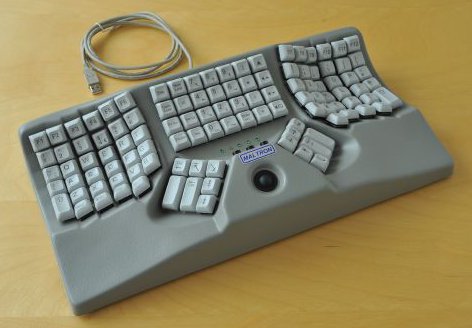
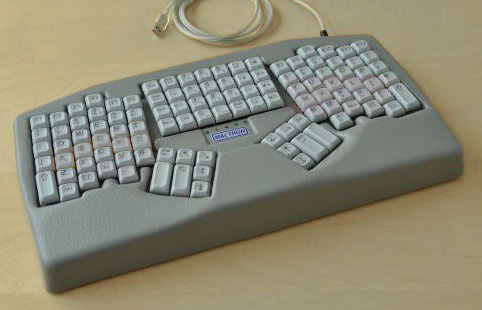
Hopefully it's helpful for a quick overview of the options that exist. Many of these keyboards are DIY (available as a kit, or sometimes just a PCB and case plan), but some are available assembled.
https://aposymbiont.github.io/split-keyboards/
(There's also https://jhelvy.shinyapps.io/splitkbcompare/ for direct comparison of ergonomic (with thumb keys) keyboards.)