GTK integration in terms of look and feel on windows and macos has been so bad for so long that I think the only valid use case for it is if you're targeting gnome specifically.
Switching to Qt isn't automatically a slam dunk on Windows.
I can tell when an app uses Qt because it opens in a microscopic window on my Surface. VLC users have been waiting on a fix for Qt-related fractional DPI scaling issues on Windows for years.
As someone who regularly uses a 15" MacBook Pro (for work) and a workstation desktop + Thinkpad X1 Extreme with Windows 10/several Linux distros (for hardware and software personal projects, respectively) with lots of expensive brand hardware for both laptops, I loathe them all with a passion.
MacBooks get the hardware DPI consistency sort of right, but multimonitor support is still flaming garbage to the point where I have to run caffeine 24/7 and use rigid window manager layouts configured per scenario (coding at my desk, pair programming at someone else's desk, meeting, presentation, etc.) to be able to efficiently context switch between the modes and keep the screensaver from mutilating my layout. Windows gets the window layout consistency between monitor configurations mostly right if you ignore chrome and Electron but multi-DPI support is flaming garbage. Linux is completely hit or miss for me depending on the monitor and drivers I've got configured but in a desktop you can at least make Linux reliably not flaming garbage.
I just now realized that my 20th anniversary with computing must have passed in the last few months and looking back, all I can remember is how much every operating system I've ever used has gotten in my way.
If you're willing to switch desktop environments, Cinnamon seems to at least consistently remember monitor layouts between different configurations. Mixed DPI is still garbage though; I think it's basically a poor underlying model with X11, but I'm no expert on the implementation.
I have been running two 1440p displays on my Retina (on 150% scale) laptop and they've been playing nicely for as long as I've had this job. It works quite well for me, no need to run any special WM programs except for Divvy
Similarly for grandparent post, VLC runs 100% fine on my 150% scaling Win10 laptop with a 4K screen
I dunno. I've got 150% scaling on my Surface Go with a 10 inch screen. The VLC UI is a mixture of partially scaled elements for me right now: https://imgur.com/a/1j4wWUd
There's a registry option to double the scaling of Qt widgets, but that makes everything too big.
I have a Windows laptop for work (my first time using Windows as a daily driver since I think 2003), and wow is it awful.
Everything, everything, looks scaled and blurry. Apps, installers, widgets, menus, everything. It's amazing how fundamentally terrible everything is, all the time.
Now that I think about it though, my first experience with Windows scaling was the text scaling in (I think) Windows 7. I had it set to 120% because I had my computer hooked up to my TV, but a game I was trying to play (SWTOR) would crash on launch every time if the text scaling wasn't set to 100%, making the text in Windows unreadable unless I went up to the TV.
I'm not sure if Microsoft just can't get their shit together at all, if getting their shit together would break too many apps, or if they have their shit together but Windows app developers are all wildly incompetent.
It sounds like you are on a non-native resolution because most apps should be fine on your primary screen at least.
Contrary to macos you should only ever run a windows display at its native resolution (in macos this is “default for this display”), and use the scaling settings to make things the right size (typically 125% or 150%).
The OS fully supports mixed dpi, but many apps haven’t been updated. There are three categories: (1) apps that are fully up to date and always look right, a minority that includes office 365 but not office 2016; (2) apps that use the older scaling api’s and only look right on the primary screen at login (so to get them to look good on another screen you need to logout, switch primary, and login) which is the majority of apps; and (3) apps that look blurry on anything not 100% scaling (96 dpi), a minority which still includes most installers for some reason.
Microsoft pushed more of the work to developers because they can’t assume the hardware is powerful enough to do what apple did: render everything in a buffer at a multiple and scale it down to the display’s resolution.
MacOS renders everything at the highest resolution and then downscales? Does that mean there are no performance benefits from using a lower resolution (or even potentially a performance hit from the downscaling)?
My experience with an older MBP (Late 2013 15" with dedicated GPU) is that there's a performance hit for non integer scaling.
I have an external 4K display that works flawlessly if I set it to default (that is 3840x2160 with 200% scaling). If I disable scaling completely (3840x2160 with 100% scaling) it still works well, but the text is a bit too small. With anything in between and there's a noticeable lag.
Interestingly enough, if the internal display uses non integer scaling (I sometimes use 1920x1200) with integer scaling on the external screen it still works ok.
I think it's related to the fact that MacOS draws everything at 200%, and using a non-integer scale over 1920x1080 ends up with a bigger resolution than 4k, whereas 4k at 100% is still 4k.
That's definitely not the normal experience. I only see this in specific applications that either predate DPI scaling or have poor DPI scaling support. Are you running your display at a non-native resolution or something?
> or if they have their shit together but Windows app developers are all wildly incompetent.
Game developers specifically seem to have an issue dealing with slightly unusual situations. I've seen games have issues with plugging in controllers after the game has started, the primary sound output changing mid-game, the user alt-tabbing, a second monitor existing (!), etc.
Would you mind listing what "EVERYTHING" in your list is?
Because I'm also using a Windows laptop for work, with 125% / 150% scaling on my laptop (fullHD on 13" + 4K external screen on 125%) and it's very far from "everything".
All the browsers are fine, IntelliJ tools are fine, terminal tools are fine, all UWP apps are fine, Electron apps are fine, chat aps are fine... so can you please explain what this "everything" is?
> Have you ever hooked a high-DPI laptop to a low-DPI second monitor? What a freaking headache that is.
Erm, yes, and on Windows 10 it works just fine.
> Say what you want about MacBook owners being brand snobs, but they never have to deal with this nonsense
Not true, I think Windows 10's high-DPI support is fantastic - yes, better than MacOS.
At home I have a landscape 3K monitor daisychained to a portrait 1980x1200 monitor, and it works flawlessly on Windows 10 with both my desktop and 2 work laptops. It works on MacOS, until it doesn't - it sometimes crashes when I switch between the MBP screen and the external screens.
I have a similar setup at the office, but with 2 portrait displays - I have the same issue with my MBP.
The only OS where I have to deal with this nonsense is MacOS.
I agree that Windows 10 is better, but I would note that it’s only truly good for apps updated to the Windows 10 API (which differs from the Windows 8.1 one, which differed from 8.0), so I haven’t seen wide support outside whatever we’re calling UWP apps these days.
I don't use any "Windows App Store Apps" if that's what you mean by UWP apps (I did a lot of Windows desktop dev on WinForms, then some on WPF, but haven't kept up since then).
But everything I use seems to work just fine on Windows 10 across multiple monitors - Office, Visual Studio, Rider and a whole host of small applications (many old) that I doubt did anything specific to enable high DPI support.
UWP is the modern replacement for Win32, stuck in Windows XP cryogenic state, it is not only for the store since MSIX package format got released two years ago.
Now Win32 and UWP are just two complementary sandboxed execution models, more so when Windows 10X gets released.
I've used Qt successfully here with different DPI, and it works well once configured for the most part. It's still not perfect on Windows, but it's a lot better than it used to be when set up properly.
Also, Dark Mode support on windows (and others) still doesn't work properly, though there are workarounds.
For Windows at least, the Dark Mode support in Qt seems to have someone now assigned to the task (last few days). So it might be better with the next major release.
All the important parts of Qt are available under LGPLv3. This only makes a difference to you if you want to do Tivoization of your software (Gtk uses LGPLv2, this being the only major difference AFAIK). In which case you still have the option to buy a commercial license.
Yeeeeahhh.... at the moment. They have gotten really aggressive about commercial licensing recently, and even a conservative extrapolation should give one pause.
Today they might limit themselves to forced registration, SEO, and spamming business contacts with carefully crafted statements designed to stir fear, uncertainty, and doubt around free licenses by strongly suggesting (without actually claiming) that commercial use without a commercial license is illegal. But tomorrow? Also, keep in mind that a business partner who isn't already familiar with Qt and LGPL is going to be about 10x more susceptible to the FUD. That's the whole idea.
My guess: 30% chance of an ugly fork and lots of drama in the next few years. Then, absent a change in direction, another 30% chance in the few years after that, and so on.
Yes, there is a lot of FUD about the licensing for Qt when you search online, definitely not helped by how unclear the Qt site's explanation of it is (to me at least)
My boss looks at this page, he sees that open source programs can use Qt for free and that commercial programs need to pay. That's not the case, but the page is carefully worded to prevent him from confidently coming to the correct conclusion.
If this were the extent of the shenanigans, I wouldn't be mad. I like having a "help me sell this to my boss" page. But it isn't the extent of the shenanigans. They went around me to shake someone down on my behalf (as I perceive it). Last time it was my boss. Next time I choose a GUI framework for an open source side project, I'll primarily worry about it being my users.
>he sees that open source programs can use Qt for free and that commercial programs need to pay.
Where does it say that? Can you mention what he is having trouble with? I just took a quick glance at that link in GP and it seems to spell out the obligations of the LGPL pretty clearly on the right side, which are somewhat specific and notably don't include a requirement for your program to be open source. That requirement is only for the GPL components, which is included in the small print on the left.
So, by your own admission, the critical piece of information my boss cares about must be inferred from the fact that it is absent from a sizeable pile of relatively technical details and from the fact that no detail (especially the GPL sub-component callout) implies it in turn.
Making this inference requires you to not only have outside knowledge of open source licenses and the Qt licensing situation, but to be rather confident in said outside knowledge. That's what he had trouble with.
No, my point is that it doesn't have to be inferred, and that the relevant information does seem to be all there. IANAL and this is only based on my own understanding of those licenses, but it seems to do as good a job as a short marketing page probably could. It's not a place where they can reasonably address every common misconception about the LGPL that someone might have. Your boss can't be helped if he is going to assume the worst just from reading what amounts to a single powerpoint slide.
I think that detail about GPL could be easily missed because it's written in small print, but that's a different problem. There are a lot of Qt components so it doesn't make sense to list them all on that page. A full list that can be filtered by LGPL/GPL status is here: https://www.qt.io/features
I'm assuming by outside knowledge you mean the fine print of the license: how is any company supposed to prevent your boss from having to go over that with a lawyer? This isn't even an open source thing, it applies to anyone in the software business. And this is ignoring that the GPL is probably one of the better understood open source licenses at the moment.
> the relevant information does seem to be all there
The key piece of information is absent.
> it seems to do as good a job as a short marketing page probably could
It could have done better in a single short sentence by stating the key piece of information, rather than leaving it to be inferred laboriously from a pile of details.
> It's not a place where they can reasonably address every common misconception
No, but it could have addressed the single largest misconception. It chose not to.
> So Macs are out of question... Can't be signed can they?
... you know that even Apple ships some GPL software on every Mac right ? GPL is 100% fine mac hardware. There are even GPL apps on the appstore. Signing does not prevent you to upload a new version of the app to your own device.
> Am very surprised, after reports a while back of GPL (etc) apps not being approved.
it was an issue until Xcode 7 : prior to that you had to pay 99$ to Apple for the right of uploading something to your own iDevice. Since Xcode 7 this is not necessary anymore.
> Apple ships some GPL software on every Mac right [..] re are even GPL apps on the appstore.
To my knowlage and IANAL, this is only possible with older pre-v3 licenses. v3 licenses specifically prohibit tevoisation, something that Apple's App store TOS effectively mandates by placing restrictions on what App users are allowed to do. I believe this is why apple doesn't ship recent versions of Bash.
While users are still allowed to run software of their choosing on the Mac I would think it would be perfectly acceptable to provide software that could be built and run outside of the mac app store.
Qt being C++ also makes creating language bindings often harder so not all languages will let you build a Qt interface. GTK is C so it's more straightforward.
Both reasons are why I'm trying to develop an OSS alternative with easiness & platform-independence of the web but much lower system requirements than what electron has.
This is ultimately why I went with gtk in a recent Rust project. Qt bindings are a pain, and the license stuff was coming out. But most of the native Rust GUI libraries don't even try. Maybe its a maturity thing and they'll get there but I picked GTK for now
Note though that GTK has no accessibility support on Windows and Mac. If you're only targeting GNOME, then that's fine. For something that's more or less accessible cross-platform, I'd go with wxWidgets or something Web-based.
Back in the day when I used desktop music players on linux I cycled through a whole bunch: Audacious, Rhythmbox, Banshee, Amarok, Songbird(Mozilla!), Moc(Oh, so minimal!), Cmus, mpd (server/client), and probably more that I'm forgetting now.
Feel a touch nostalgic for the uncomplicated time when I had music on my devices, regularly "organized my music library" and could play whatever whenever, and shared them with friends. I can still rummage through my old disks and spin up some of that music from time to time.
Mostly use cloud players these days; crazy to imagine that there's nothing I can do if my favorite song/recording today is not available ten years later!
It's significantly more expensive if you listen to a wide range of music. Buying albums, or even just individual songs, can very quickly surpass the $10/month you pay for Spotify. Maybe that's worth it to you, but I can't blame most people for just paying for a subscription.
The issue is control. Albums are regularly disappearing from the Spotify catalogue, sometimes reappearing later. Sometimes specific albums in a band's history are missing because that particular label doesn't have an agreement with Spotify. And you never know if it's a crappy modern brickwalled remaster. Not to mention the woefully bad curation, mixed up artists, incorrect genres/years, you name it.
Same with video streaming. With Netflix you aren't guaranteed the show won't suddenly just disappear before you finish it -- happened multiple times for me. I've been partly going back to Blu-ray for better availability and picture quality. Netflix is still very good for exploratory watching though, but Blu-ray is very very good for stuff like classic HBO series and BBC nature documentaries.
I've seen some people suggest buying one album per month and then pirating everything else (or streaming everything else). Best of both worlds, sort of.
I bought my first music on Bandcamp a couple of days ago (they had a day when 100% of sales went to the artists). That seems like one of the best ways to support artists while still having a cloud-hosted library.
If your library of favorites doesn't amount to a couple terabytes like in, ahem, some cases, then it's pretty easy to dump the selected bunch with `youtube-dl`.
Death of a couple sites with not-widely-available music, in the past few years, has distinctly shown which of those two terabytes should be more closely guarded. ‘It's all on the web‘, I've been told—well, not quite so anymore unless I upload it somewhere first.
256k mp3 using youtube-dl. Works for me. To me 192k is borderline, 96k is very low. Prefer high quality lame vbr encoded, but I'll take what I can get :-)
Youtubes's best available audio is usually either 128kbps AAC-LC or 160kbps Opus -- both these codecs usually sound substantially better than MP3, and at these bitrates should be "transparent" with most material, (aside from whatever other processing YouTube does, or what was done before it was uploaded to them).
Converting this to MP3 means a lossy-to-lossy transcode which can only cause further deterioration, and increasing the bitrate to 256kbps (or anything else) isn't going to fix that -- at best you won't be able to notice any audible difference, apart from having larger files for no benefit.
Unless you need MP3 files for compatibility, instead of using the -x option to extract audio and converting to MP3, you'd probably be better off just using -f with the best audio format, and perhaps re-muxing in to a different container if required.
`youtube-dl` downloads from many more sites than just YouTube. As for the quality, people listening to streaming music probably tend to not pay much attention to that. As indicated by the popularity of music uploads on YouTube.
Well, higher quality audio is feasible to stream from a technical perspective. It's just that YouTube does not prioritize that. They likely care more about video experience.
So I would bet that any major audio-oriented streaming service beats YouTube on quality.
I tend to think as YouTube as more useful for discovery. At that, it is very good. If I decide I like something I will listen to it elsewhere with better quality.
Youtube in HD modes often has AAC at 192 kbps. Bandcamp, which I'd guess is a music-oriented service, for non-bought tracks seems to give me mp3 at 128 kbps. So yeah, sounds like Youtube is quite alright for discovery until you're ready to part with the money (though Bandcamp is much lighter on the cpu overall).
However, this whole discussion falls firmly under ‘suum cuique’, and quite pointless in the light of `youtube-dl` being not just for Youtube, as already mentioned.
Audacious is pretty slick (especially with this latest release), but lacks the features that foobar2000 has that I need (namely, a directory/folder view that can replace the active playlist when clicked).
If anyone is looking for a decent foobar2000 alternative, Foobnix (https://github.com/foobnix/foobnix) has worked really well for me. It has some rough edges and doesn't seem (that) actively maintained, but it gets the important stuff right. Haven't come across anything else quite like it for Linux yet, unfortunately.
If there was a foobar-like folder view plugin for Audacious, I'd switch to it in a heartbeat.
I just run foobar2000 under wine. The font rendering is a bit iffy (some lines of text get clipped horizontally and vertically, as if the calculated dimensions are smaller than the rendered dimensions), but it doesn't bother me enough to investigate.
That said, most of my music listening these days has been pointing mpv at an internet radio steam.
Kind of a tangent, but why switch from GTK to Qt 5? Or rather, why Qt 5 rather than some other cross platform UI framework or even GTK 3? Is it ease of porting it for new features compared to something else? And/or is Qt just that much nicer to use?
Qt 5 is just the best in class for cross-platform GUI development. It's huge and slightly idiosyncratic in places, but developing cross platform UIs (and even lots of platform specific UI patterns) is pretty straightforward. The standard UI controls are very flexible and powerful. Bugs due to differences between platforms are really rare.
Other toolkits like wxWidgets are perfectly serviceable, but they are not nearly as complete.
They deprecated functionality that no longer fit GNOME's workflow even if it is when it's still needed on other desktops and operating systems (see systray icons[1]). Their developers stated on more than one occasion that GTK is a GNOME-first toolkit.
Relying on GTK to be a cross-platform GUI toolkit is very risky given its current direction.
I don't see how that follows and I think your explanation is a bit mixed up. That functionality was deprecated precisely because it WASN'T cross-platform, and there was no way to make it work correctly on all platforms because of how much it was tied to legacy behavior. It never even worked on Mac, and it won't work now on Wayland either, so that's why it's got deprecated and removed.
>Their developers stated on more than one occasion that GTK is a GNOME-first toolkit.
I have not heard this. I've actually seen great pains being taken to preserve Windows and Mac support in GTK4. For the record I actually think removing something because GNOME doesn't support it would be very valid and wouldn't make them a GNOME-first toolkit. A proper cross-platform toolkit would consider all the supported platforms equally and would support things that can work correctly across all of them, and in this case GNOME happens to be one of those platforms. Remember that they've also deprecated and removed things in the past that didn't work on Windows, such as all the X11-centric stuff that was present in GTK1 and GTK2.
> functionality was deprecated precisely because it WASN'T cross-platform
No, they've deprecated and removed far, far more than that. They've obsoleted and dropped fundamental containers and widgets which have been present right from the 1.x days. These changes represent hard compatibility breaks, each and every one of them. As an application developer, these are not improvements, but very costly.
And they even broke compatibility with their UI file formats, with no upgrade path.
Upgrading now requires hand-editing huge piles of XML. They could have written some simple XSLT transforms to provide an upgrade path, but they didn't. Or you have to hand-edit all of your sources. Either way, it's painful and with zero added value.
I don't expect a competently-maintained library to indulge in such huge breaking changes without a really, really good reason. The old functionality could have been retained, implemented entirely in terms of the new, but they just had to rip it all out for the sake of it. That's not maintenance with end developers in mind. It's a huge "screw you" to their actual userbase: application developers.
>These changes represent hard compatibility breaks, each and every one of them. As an application developer, these are not improvements, but very costly.
>The old functionality could have been retained, implemented entirely in terms of the new, but they just had to rip it all out for the sake of it. That's not maintenance with end developers in mind.
I see these kinds of things being said all the time but at the end of the day, nobody seems to want to pick up the slack and start maintaining all those legacy widgets for eternity. There is a maintenance cost there too and the upstream developers don't want to foot the bill, and neither do you, so stuff gets dropped on the floor. If you don't want to deal with this then you use flatpak/snap and you pin your application to a specific toolkit version forever. Do you have any better proposals? Do we as an industry have any better proposals besides throwing money at the problem? Because I assure you GTK is not the first (or last) library in existence to break ABI.
>They could have written some simple XSLT transforms to provide an upgrade path, but they didn't.
It feels like everyone someone voices an opinion about GTK3 explaining why they don't like it, some GTK3 fanboy has to chime in questioning the opinion and implying it isn't rational. Yeah, this makes me want to stick with GTK3 even less.
People don't have to explain their preferences in a rational way, they will just switch away from GTK3. It's cheaper.
Successful developers will try to interpret these users' feedback in a self-critical, introspective and positive way, and tweak their product based on the feedback. As opposed to continually challenging the giver of the feedback to explain their opinion in more detail, as if by repeatedly digging deeper and deeper into an opinion, you will at some point find some fundamental logical contradiction in their views that will make them re-evaluate their life philosophy on why they just don't like GTK3.
I for one think the two opinions given above are perfectly clear ("GTK3 is becoming very GNOME3 specific", "As a user, I don't want them") and can't see why further clarification is being requested. If you really need clarification on these perfectly clear opinions, it is your problem.
I agree. Asking for deep details is like asking “what’s wrong with you” instead of the reverse. Another show stopper for gtk is pretty trivial: it’s a real pain in the ass to get a working set of dlls on windows. The most sane way I know is to incrementally cut it from msys2 installation. That’s plain stupid and is killing an already half-dead framework, which was pretty good at the 2.x days. It locked itself into gnome, which is not even a crushing leader on linux desktops.
I haven't tested it but I believe there is a "gtk" package in vcpkg that can be used. Windows support should still work fine, but improving the experience there has never really been a priority simply because of lack of developer interest. Unlike Qt, there is no company behind it, it's open source managed by a non-profit and anyone can work on it. Right now there are only ~2 developers contributing full-time and they work for Red Hat. So unless someone else wants to hire developers to work on it, that's who is calling the shots and they are going to focus on their platform.
I also don't really appreciate being called a "fanboy" by the GP. I use Qt as well and I don't favor any framework over another. I'm sticking to the facts here: GTK supports building apps any way you want, not just in the GNOME style. Maybe the problem is that the apps you tried happen to all be GNOME-styled apps. That's a choice that the app developers have to make consciously and has nothing to do with GTK. If there is something else you mean by "locked into GNOME" then please elaborate, because I am having trouble understanding what you're referring to.
No clarification at any point was necessary. Despite your rant here, I made no claims as to which was better, or whether a users opinion on that particular aspect was valid. Beauty is in the eye of the beholder, so one cannot claim right or wrong.
What I stated was that development decisions, whatever they are, are up to the developers, including which frameworks they wish to use, and how they wish to use them. Saying in any form that you don't want developers to make decisions is nonsensical, as they would not be able to write anything then. Decisions have to be made, compromises chosen, and ultimately, not everyone will get their will.
If you don't want other developers to make decisions for you, you're stuck writing all the software you want to use yourself.
> If you don't want other developers to make decisions for you, you're stuck writing all the software you want to use yourself.
I suspect this of being as recent an attitude as "no, it's fine that a desktop chat client should take up nearly 4 GB doing absolutely nothing, memory is made to be used".
There are enough of us who lived through the days when, no, developers didn't need to make certain decisions for us on the Linux desktop. It wasn't a perfect time but it did exist — as recently as ten years to fifteen years ago in the days of GTK+2 and KDE 3.
Again, it wasn't perfect, but those days contradict your assertion. People shouldn't have their opinions discounted because they're no longer in vogue.
As someone who isn't following the Qt vs. GTK debate closely, this makes me ask myself why the choice of a code library -- which should be based on how well it fits into application code and similar criteria -- affects the user at all?
If the user is able to spot the choice of toolkit just by using the application, I'd suspect that design decisions have been coupled to code decisions, which would be a smell by itself. I mean, what exactly would you do if the code guy says, GTK fits the code best, and the design guy says, Qt fits the design best? The answer would be "the Qt look-and-feel for design, and the GTK API for code", but you can't do that when you have coupled these decisions.
The developers of Qt applications do not force how the UI will look like. Users can customize it with local style sheets (usually from the desktop environment).
You can do that under Gtk3 too, but like with Qt5 it only allows small adjustments in line with how the developers built the UI. You can affect layout and style of certain components, but that's it.
From the perspective of making design decisions, it's somewhat equivalent to swapping the phone shell on a Nokia 3310.
GTK also supports customization via local style sheets.
In Qt it's absolutely possible for applications to force client-side decorations and force a certain stylesheet. Maybe it's not common in the apps you use, but again, it's up to the app developer if they want to make use of those things or not.
That's just plain FUD. The only release I remember breaking CSS was 3.20, and that was because all the CSS was refactored to allow for way more theming possibilities.
Regardless of that I don't see anything based on "cascading styles" as lending itself to a stable theming system anyway. The CSS is probably going to change any time a widget is added/refactored/bugfixed, this holds true on the web as well once you build up a complex library of React components or whatever. The point of it is that there are multiple styles from multiple sources that can cascade together. It's powerful but it can result in a lot of complexity, anyone who's had to add !important directives can attest to that. It needs to be strictly managed by the developers to really work correctly and to prevent the style overrides from getting out of hand. Allowing custom user CSS is only for power users who understand the caveats.
What about the filesystem drivers? Should each application developer pick those?
Applications run as part of a system that provides certain shared system-wide features and is configured by the user. They should slot into that system.
What shared services that are available differs from system to system, just like which are supported differ from applucation to application. Filesystem access may be through an xdg-portal, may support KIO or GVFS integrations, may use framework internal pickers, and so forth. Many decisions for the developers to make.
Filesystem drivers are much further down the stack, but that's just a different group of developers making all the decisions.
No, they were always supported in the sense that it has always been possible to make a frameless window and draw your own decorations. In the old days this was even a highly desired thing for Audacious/Beep/XMMS because of compatibility with Winamp skins, which all included their own graphics for window decorations.
The only thing that has become supported in GTK fairly recently is a common appearance for them. If you notice more app developers happening to use them lately, that's a different issue driven by design trends, not by what some toolkit decides to support. Technically speaking, CSD is not exactly a new thing and has been the norm on Windows and Mac for quite a long time now. Design-wise, the practice of putting widgets into the title bar is what app developers are wanting now. Have you noticed the UI in the newest Chrome? Or iTunes? All the topmost widgets are moved up into the title bar. This is where we are headed at the moment.
It was not hard to do, it's as trivial as drawing 2 buttons and some text. If this is such an issue then take it up with all the app developers. See for yourself how well they respond to accusations of being "antisocial" just for the act of moving some buttons up 30 pixels. This isn't a new thing or a regression on Mac, they always had CSD, even in the pre-OS X days. What is trendy there now is the merging of the toolbar and titlebar, which is different.
> It was not hard to do, it's as trivial as drawing 2 buttons and some text.
And making your window override-redirect, and implementing window motion, resizing, and so on by yourself, since the window manager doesn't do it for you, and dealing with all of the ICCCM and EWMH conventions, and...
All of that was already implemented by the toolkit. The way programs used to do it is by simply calling those 3-4 toolkit functions to move and resize. You can verify this by looking in the code to old versions of Audacious/XMMS/Beep/etc, which still used GTK/GDK to handle those things.
I can't stress this enough: this kind of thing was already supported for quite a long time and app developers were doing it long ago. The only thing GTK3 added was a common look and feel for it. Qt also has that now too.
I always appreciate the perseverance and dedication of FOSS developers and teams. They bring a lot to the table for a whole lot of people.
But something about the fonts and the UI layout always puts me off (primarily) Linux targeted (or developed) applications. Even Windows 10 doesn’t use good fonts, IMO. I don’t know why developers can’t use good native fonts or bundle some good free fonts with the application, while also having better laid out UIs. We live in the age of 4K monitors (though most people are still on 1080p or lower) and smartphones with pretty good screens that many users are used to, and yet we have applications that look like they were developed two decades ago. Even large efforts like LibreOffice aren’t immune to these deficiencies. I’m not arguing for form over function, but definitely see a need for getting more UI designers into FOSS (I’m not one, so my contributions are limited to monetary donations to projects I like or use).
To reiterate, this is not to put down the humongous efforts (which many a times remain thankless or not adequate for putting food on the table) of FOSS developers.
I just built it on ubuntu 18.04. It looks pretty much identical to the native 3.9 version, except for icons.
FYI anyone reading this, take a backup of your $HOME/.config/audacious before trying the new version. It did something funny there and no files would play on the old version anymore...
Seems like the Qt5 front-end is just set as the default one, and the GTK front-end will be deprecated. There wasn't really any noticeable difference between both from the usability comparison in my opinion.
Eeh. It might be perception, but I feel like it was the other way around — around the time iPhone came out, a lot of apps eschewed compliance in favour of achieving clearer identity. I think that cleared the way for electron — I actually vaguely remember some people talking about using html-based apps because they made achieving a specific visual design easier, not because of the portability benefits.
And for example AFAIK the new Apple Music app is using a web view for some parts of itself, and as much as I like having "light" apps, I generally prefer interacting with Electron UIs over most QT apps.
The first one isn't Mac like --- the menu bar doesn't go on the top of the window. I don't necessarily think that's great, but that's the way it should be on a Mac.
Qt was always the better practical choice, and its license issues were sorted out decades ago. Couple that with a world where choosing C over C++ makes less and less sense (compilers having got a lot better) and the writing has been on the wall for years now.
a lot of apps look non-native on os X, with apple starting the trend of ignoring their own HIGs about 5 years ago.
I don't really mind, since osx happens to be my daily driver since about a year, but whenever people claim that osx is visually coherent I can't shake the feeling they are stuck in 1998 and Mac os 8.
The problem is that Qt and other cross-platform frameworks tend to look glitchy, as in their differences are non-intentional and jarring.
They also tend to just look pretty old-fashioned, because these frameworks are pretty old now and the controls, layouts, and workflows they provide are a bit old-fashioned.
So the first impression you get for software using Qt is old and glitchy. Which isn't great.
What's wrong with something looking "old-fashioned"? That seems to be better from my point of view.
I just finally got switched to Windows 10 on my work computer. Every time I start up a simple calculator, it takes up most of the space on my gigantic 27" QHD screen! Do they think I'm blind or something? The old Windows 7 calculator looked just fine and was an appropriate size.
Hmm. When I look at the (as far as I know) native apps that I have running on my Mac at this moment -- Safari, Day One, Numbers, Soulver, Terminal, MailMate, BBEdit -- there's a pretty obvious shared visual language between them. They all look "native Mac" in a way that Slack, Visual Code, LibreOffice, and Calibre don't. (To be fair, Calibre's UX goes out of its way not to fit in with any desktop environment on this planet, so it's probably not a good benchmark.)
> How do Qt projects look + feel when ported to Mac OS X?
I haven't seen any cross-platform toolkits that abide by Mac standards. Funny enough, the closest is Mozilla's toolkit. Other than that, there are always telltale signs—e.g. no one seems to grok Mac's toolbars even though they're organized by the basic laws of proximity and grouping. Qt apps have the lazy grid toolbars just crammed from left to right, occasionally with extra-large icons for the ‘designy’ look, and always with colorful icons unless something app-specific is made (like in Calibre). Plus the noisy dividers.
Also, since Qt handles all the graphics and input, it has to reimplement everything high-level that the systems provide out of the box, and presumably to track changes in all of that. Hence the past bugs of one-pixel offsets between elements where they can't be in the system. And the present non-support for system-wide key rebinding on Mac—e.g., home/end instead of cmd-left/right.
But yeah, Qt is better than something like not-obsessively-tuned Swing. As for GTK, it seems to depend a lot on the author specifically not forgetting to bundle the native-look theme.
Alas, can't speak in regard to that, because I've never seen a Wx app aside from a few smallish Python projects— which I think I only passed by on Github, nodding appreciatively and then not running any of them.
Btw, I'm saying the above while myself having made a small Python project with Wx about eleven years ago. That was the closest I've come to a Wx app—but it was on Windows and amounted to little more than a single button, so not much knowledge gained.
I think GTK3 will still be viable for a least a few more years. It's currently in maintenance mode -- no new features will be added, and all feature development is happening in git master in preparation for the GTK4 release. The first release of GTK4 is currently planned for this fall.
Qt5 can be made to look pretty close to a native Mac app, but one thing I haven't figured out yet is if there's a way to get that "bouncy" effect you get when you scroll to either end of a list.
Is this "bouncy" effect the elastic one pulling against the end, snapping the list back to position when you release it, or is it the the one where the scroll ricochets off the end when you apply great force in order to quickly scroll to the end? The former is a very nice UI cue, but who on earth thought the latter was a good idea? As an Android user, I wish there was a way to disable the ricochet on all apps.
They don't look quite native, but I feel the trend is moving away from native-looking apps anyway (like via electron, or forgoing an UI at all and just doing a web UI).
> GTK3 are... to be avoided for new projects / dead?
Despite rooting for GTK, I think this is where it is going.
A lot of criticism as of late was that GTK is turning from a Gimp ToolKit into a Gnome ToolKit, and you can see how dramatic was the drop in mindshare has been since that trend started.
Just like Gnome didn't really survive the 3.0 transition because the project been really stolen by thew few people who force fed Gnome Shell onto the wider community, the GTK did not survive the transition from GimpTK to GnomeTK.
Only if you conflate the users with the existing pool of GTK/GNOME developers and maintainers of the time.
I'm thrilled to see that fork attract enough new talent to apparently maintain itself and meet the needs of what's a relatively small fraction of linux desktop users.
NO. GTK has really been getting more and more import for FLOSS as the Librem 5 and the vast majority (Ubuntu switched to GNOME by default, so GNOME is now the default on
Natural selection in action.
If you don't put enough effort for your framework to catch up modern language features and design principles, users would consider something else.
Cross-platform toolkits are the lazy way. Good quality graphical apps are available in derivatives that match the interface guidelines and optimum toolkits/APIs of their platforms.
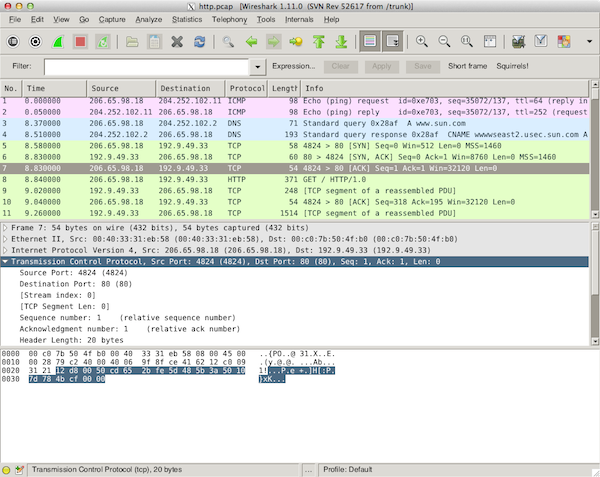
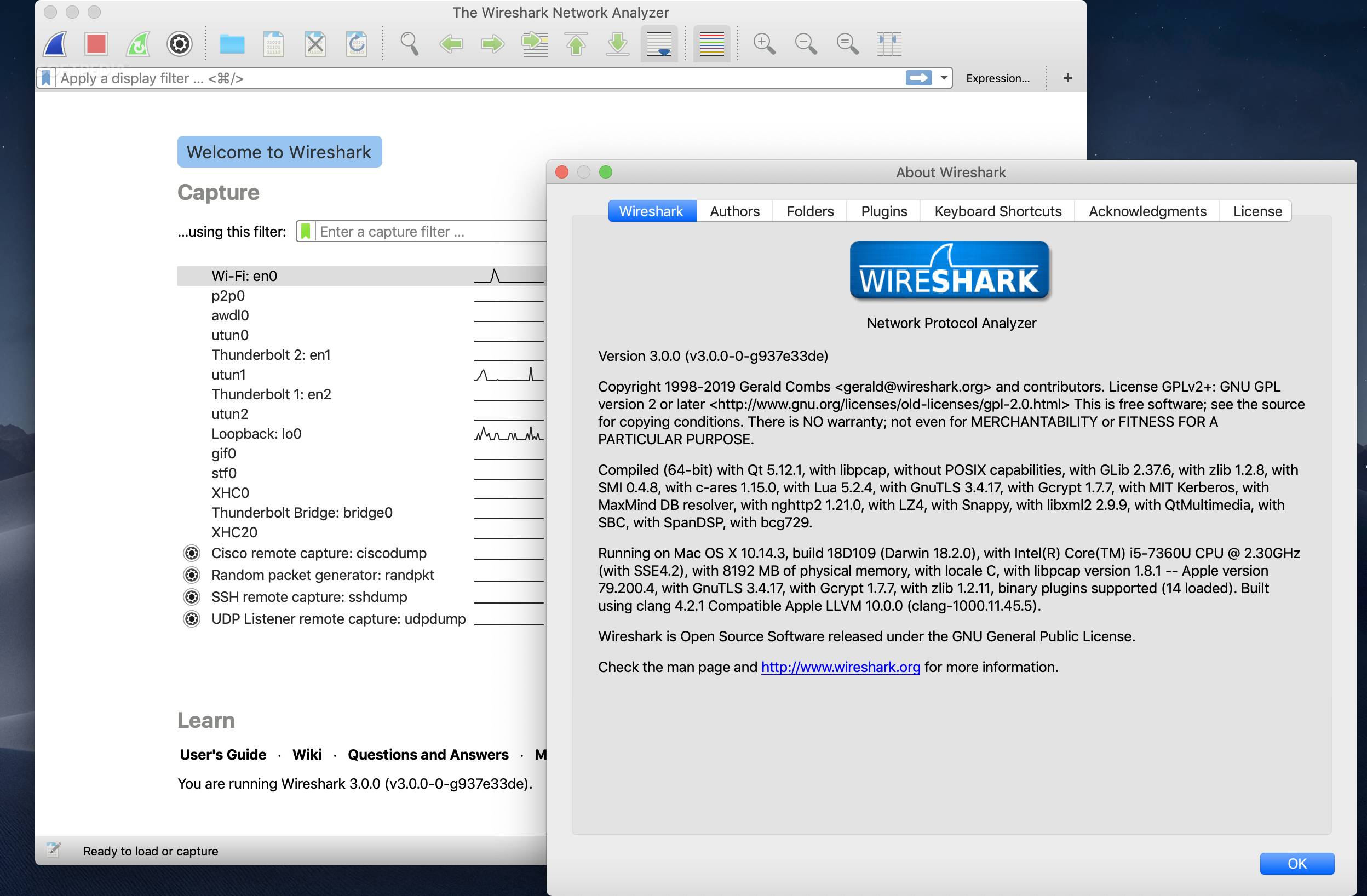
Good quality graphical apps sounds great, but do those exist for every single use case? Unfortunately not. It doesn’t matter how great the native graphical sketching apps on MacOS and Windows are, that isn’t going to help me when what I want to do is analyse packet captures. That’s when I reach for Wireshark, and do so full of appreciation to the devs for the excellent tool they have provided.
Would it be better us every platform I use it in had an equally high quality fully native port with full feature parity across platforms? Sure, but I also understand the huge extra commitment of resources that would require, so I’m content to let them choose the trade off that works for them.