I've taken over deployments of UniFi gear and do not have nice things to say about them. We typically deal in the Aerohive and Meraki world and I find the Ubiquiti zero-handoff to be terrible (I see real-world handoff times of up to 8 seconds in some cases) auto channel selection inneffective, band-steering implementation completely broken, and then just some basic lack of features of things that, to be fair, I wouldn't expect at this price point (L7 firewall, etc) but, given how aggressive some of the marketing has been that the Ubiquiti gear can compete with enterprise grade stuff makes you start to miss the enterprise features. It's too bad that my experience with them is not good as I want to like the stuff, but anything over 3 access points in a typical office environment with competing RF and need for seamless handoff, this stuff just doesn't cut it.
I'm a network admin for a small managed service provider.
Sounds like you have been dealing with older gear. Zero handoff is a deprecated feature which is no longer supported in current products. Nowadays Ubiquiti simply recommends roaming:
Yes - probably, though our most recent takeover was in August and I didn't see that link. Just knew it was broken and sounds like they're admitting their implementation of an 802.11 standard is broken to me :) The particular link is another gripe I have with Ubiquiti - most of their articles are left up with referral links to new documentation. Here's an example - up until Dec 3rd (from at least October) Ubiquiti marked their only documentation on setting up the UniFi Controller to run as a Windows service (1) as 'Outdated' (2). Dec 3rd they updated it with new instructions
Just to be clear, Ubiquiti's implementation of Zero Handoff (and all similar solutions) are not 802.11 standard. They are creative hacks that create one big virtual APs out of many APs.
Does anyone know a good way to implement wireless roaming around a large home? I had Ubiquity's Zero-Handoff on my list of things to check out, but seems they don't use it anymore, and as above it was a hack anyway.
I have been for years using (and recommending to others) multiple access points (of any brand) wired together and just set them up with the same SSID and passwords. Usually works mostly OK, although VoIP tends to drop out moving around the house (and thus changing BSSID). Keen to fix the VoIP issues. Maybe I'm missing out on something such as using special routers or some 802.11 standard that might work better.
If the OP of this thread would take a few minutes and read through Ubiquiti forums they'd know that there have been 10's of conversations wherein someone from Ubiquiti or a power use has explained why you shouldn't be using the old ZHO hacks. I said this yesterday in another Ubiquiti focused comment, but 1) ZHO forces all AP into the same L2 network and 2) ZHO puts all AP on the same channel and SSID. The last one should be blatant enough for anyone to know that that's not going to scale or be performant. ZHO was implemented for old, low bandwidth devices that needed to be on the same network. Full stop. Don't use ZHO!
Beyond that do some due diligence when setting up your networks. Even with 802.11n/ac in the 5GHz range you should be aware of best spectrum usage, about things like DFS and consider how wide of a band you're allocating to the channel selection your making (hint: it impacts overlap). Do not do not do not use auto channel selection unless you're forced to. I get it, you may not have control over this in a dense environment (apartment) but if you can control your airspace (reasonably so) map out channel utilization especially if you have more than one AP. Then go to the next step and figure out the worse spots for reception in your house are and, as the person above me states, tune RSSI down to get clients to get kicked as they "roam". This will force them to reselect much faster. One comment stated 8 second reassociations. That's just bad tuning and clear ignorance to the problem - you'd have the same thing with any other vendor.
I think Ubiquiti makes some really great products for the price. Have they violated GPL? Quite possibly but as others have said I don't think that's been proven judicially as of yet. You will get one of the best products at this price point though and, when setup correctly, will be much more performance than things like Eero or Google Wifi that relies on wireless as the backhaul between APs. If you're saying you can't use cabled infrastructure there are options. 1) Powerline is now "decent" as in 400-700 Mbit are attainable depending on your situation, they're also much cheaper (look for HomePlug AV2 standardization) now 2) Dedicated, directional focused wireless backhaul is the better option than an omni backhaul between something that is already handling your clients. That is Ubiquiti's forte. They only recently released the UniFi product but you can use NanoBeam, Bullet or NanoStation in your home to move things around to dedicated AP.
Ultimately if you want good wifi you have to pay for it and plan and deploy it correctly. The second half of it is why we have Eero and Google Wifi - because people don't do that. They buy Ubiquiti or some other enterprise focused WLAN solution, plug it in and do the minimal work and say it doesn't work or sucks without RTFM.
Finally if you want "fast roaming" you should know what you want before buying a product since the device OS needs to support it. Apple has basically said they're supporting 802.11r: https://support.apple.com/en-us/HT202628. And 802.11r is in the latest builds of UniFi firmware, but not really exposed to the GUI config because, well, people will probably shoot themselves in the foot with it.
Appreciate this comment and did want to follow up that we are not a Ubiquiti shop but instead have taken over other deployments of it. My deployment experience with Ubiquiti is none, so it's great to hear the actual implementation of Zero Handoff is a hack... nasty, and that should explain the problems we've seen for sure.
We're still in the process of tuning one client with a significant investment in UniFi. ZHO is not enabled in that case and am going down the routes you've described re RSSI tuning and RF mapping, but still see blatant performance issues, and will readily admit that being forced to resort to forums for support and outdated setup articles isn't exactly confidence inspiring and helps fuel my distaste for the product. We're stuck with it though.
This will likely be one of those things requiring experience but as I'm hoping to install a Ubiquiti focused system in my house over the next few weeks, do you have any suggested resources? Particularly on the subjects of spectrum usage, DFS, and channel selection? I'm not in an apartment but still of the opinion that neighboring network boxes are causing congestion on my local system. We're all on Google Fiber with the provided network boxes, which seem to automatically select the same channel. Simply selecting a different channel hasn't seem to improve the situation (and has potentially made things worse).
The /r/homenetworking subreddit will be happy to answer and walk you through your deployment, plan, etc. in whatever level of detail. They basically spend most of their time telling people which Ubiquiti gear to get, since that's the #1 solution to most people's problems (buy good, purpose-built hardware), why to get each peice, and how to arrange it, so basically exactly the sort of thing you're asking.
Today most, if not all, enterprise grade AP have settings for minimum RSSI values. Think of it this way - having one client on your WLAN that has a weak connection will introduce errors and retransmission impacting every client to a certain extent (it's a shared medium). In a deployment wherin you have multiple AP working together (on different channels) there's going to be overlap so you have a continuation of service. You may move around and be connected to WAP-B with an RSSI of -70 but be closer to WAP-A with an RSSI of -50. Your OS will try to hang on to that connection as long as it can by default since it's not scanning in the background for something better on a differing BSSID (the BSSID is the MAC, generally in a multi-AP environment you'll have a singular SSID and each AP has a unique BSSID).
With minimum RSSI implementations the AP will kick (deauth) clients that no longer meet the minimum RSSI level. This will force them to reconnect to and will go with the stronger BSSID being advertised with the same SSID. Still rudimentary but works rather well. I don't even notice roaming in my home anymore after tuning. It's very evident when you're on a network that has defaulted to auto and all of the channel selection and power output is up for grabs.
If you're looking at doing this with Ubiquiti they have docu and even point out the warts with simple RSSI tuning. Trolling the forums before doing a deployment is something you should do as this equipment isn't really something that will autoconfigure itself very well. I mean, it works - but clearly you can see in this thread that people who just expect it to work have bad things to say about it's effectiveness. What they don't understand is that a lot of those problems are self-inflicted.
I have to agree. Ubiquiti have some great marketing and slick looking UIs on their gear, but the hardware is not enterprise grade. They use standard Qualcomm/Atheros chips that almost every wireless router uses (Source: https://nl.hardware.info/reviews/5592/4/ubiquiti-unifi-acces...) so you are basically paying for software with a flashy UI and proprietary cloud configuration.
The Ruckus R600's are my go-to. I've done several offices and retail installations with those.
A close second is Xirrus, their APs are a bit bigger is size and look like oversized smoke detectors though. Though, if you work in events they are perfect: Controller built into the unit, and they have weird configurations of radios so you can deploy 16 directional radios on one device. Great for conferences where you can setup 2 of those in the corners, turn off the radios not pointing at the guests and have total airspace supremacy.
What would you recommend for a similar configuration as the OP's?
I've ended up using pfSense combined with enterprise switches and ultra-dumb access points with 802.11Q support to simply - as transparently as possible - bring the wireless devices into the network administration fold.
I've taken to using the higher end TP-Link AC routers as my APs, but have played with Ubiquiti instead as well.
Totally and entirely depends on price point. If I get to be in charge of your wallet and you promise not to look at your VISA until after I leave, you'll end up with Meraki all over the place. It does have its flaws, but they are minor in the grand scheme of things compared to everything it does right.
As for the OP, its a tough call. My complaints with Ubiquiti are in a heavy use congested RF environment. Not really much to say when comparing to a 5000 sqft house. We generally work around a budget but if I dont have to care about cost I'll deploy Meraki, then Aerohive, then get forced into Sonicpoint, and then there's a few other options I'd just feel bad and they don't deserve the HN referral traffic.
I'm not sure how artificial barriers to keeping the same hardware makes sense, and selling hardware that also requires licensing is a lot harder than selling e.g. Ubiquiti stuff.
I'm happy to see Ubiquiti getting some exposure here and on Reddit and other places recently (and also a bit worried that this means they're about to start releasing garbage and/or get bought by Cisco, since that seems to be a phenomenon that happens).
We've been installing and using their gear in deployments all over the place for over 5 years now and it always just works. I think we've had to replace two faulty units in that time, out of, I dunno, several dozens.
Their software is getting better and better too, and their security camera system is IMO way ahead of most of the competition in the same price range (with the exception of a network disconnection issue that has had us and Ubiquiti tech support tearing our hair out for weeks now).
I hate that their management software requires Java though, it can be fiddly and annoying to install and I think one of our techs finally set up a VM specifically for their management software.
The Java stuff caused problems at our office because the installer (on OS X) didn't even run. Not on any computer. It got stuck trying to discover the device, when in fact it was the Java app that didn't work properly. We had start that web server thing from the shell and then point a browser to it. Even then we (one of whom is a former Cisco engineer) had to struggle several hours just getting it to start a working wifi network.
The box is Apple-pretty, but it's probably the least smooth network device I've had the misfortune to set up, and it's scared me off Ubiquity a bit. It's not just us, either. Forums found plenty of people with similar issues, but no solutions.
As someone who's had to deal with Cisco WLCs/APs, I can't imagine anything more complicated and frustrating to set up and use. Can't download or upload configuration backups without a TFTP or FTP server, the interface is a mess to try to navigate, there's a lot of Cisco-specific terminology that isn't explained so you end up spending a lot of time googling terms to find out that they're things you knew about already.
Then there's running the things. Switching to 40Hz channels screwed up our wireless network until I discovered that iOS devices have problems with bonded channels with upper control. An easy fix usually, but the WLC doesn't give you the option to prefer one or the other; it just randomly picks a channel and then pairs it with the associated channel however. Now I have a dozen APs and I have to manually assign the channels on each one because if I set it to auto it chooses an upper channel 50% of the time.
I had an issue for a while where the APs weren't passing broadcast traffic on my LAN. After a long search, I found tons of documentation on enabling multicast (didn't help), Bonjour caching (wasn't relevant), and so on. What actually fixed it was enabling HREAP on my WLAN, for some reason.
Cisco stuff is probably great if you're spending tens of thousands of dollars and you're a Cisco-certified engineer, or if you're the kind of person to plug everything in and not change any checkboxes you don't have to, but for managing it in an office it's been a frustrating disaster.
I went in blind and set everything up within 30 min easily running the Unifi controller that needs a properly setup Java runtime environment on OS X El Capitan. I'm going to put the controller on a Raspberry Pi soon as well to move infrastructure software off my work environments. It's kind of cludgey to setup Java still in 2016 but if that wasn't your issue I'm not sure how you expected to install everything. It seemed fairly clear from the quick install guide that you need the controller daemon / web server running first and that it will discover the AP you need to provision.
I'll take an awkward, consistent Java runtime setup over random solutions for, say, Python web servers using all sorts of configs.
I think the OS X thing is just offered to be nice, but their controller is effortless to install on Debian, even remotely.
I put our controller on a $5 DigitalOcean droplet with Debian 8. Took 10 minutes to set up back in January, has been working faultlessly ever since (even through automated updates).
Yes, but the problem with Dockerizing the Ubiquiti controllers (or at least the Unifi one - I haven't attempted with the others) is that the Java app requires MongoDB, and chooses to spin it up as a child process and treat it as an embedded database. Unless you're careful with volume mounting, restarting the Docker container will lose all your wireless connection info, forcing you to reset the AP to defaults or restore the Mongo instance from a backup.
This is generically true of all docker containers that need to persist storage. The docker hub page is pretty explicit about which volumes are exposed and therefore probably contain persistent data.
> I hate that their management software requires Java though
Yeah, it stinks. But their wi-fi access points have been sooo reliable for us that it is worth the pain. We had random problems with a few other brands' most expensive routers - cost does not equal quality.
As a mitigation, we only run the management software once every many months to make changes to configuration (it is not left running on a server). We lose some logging and things, but everything works fine.
Since we're all saying nice things about Ubiquiti, I feel obliged to point out that they are actively violating the GPL: http://libertybsd.net/ubiquiti/
Author's claim about ag7240-eth.ko seems incorrect. Running `strings` on it shows "license=Dual BSD/GPL". It's unlikely that the GPL license was chosen.
Current firmware downloads contain the uboot source code.
Based on the email quotes, Ubiquiti did violate the GPL. It hasn't been proven that they are actively doing so.
GPL code is copyrighted. GPL is not my favorite OS license, but all FOSS licenses are also copyrighted by at least 1 person or organization. The only exception would be something in the public domain (which is technically not a license).
You can enforce copyright on GPL code just as well as with proprietary code. You just need to take the steps to do so.
You don't have to copyright it. Anything you produce us automatically copyrighted. What people forget is that the GPL is a way to get around the default lack of distribution and replication rights in ordinary copyright.
Contrary to popular belief, GPL is not free software. You can't add restrictions to something and call it "free as in freedom". A truly "free as in freedom" license is one you can't violate (BSD).
People can and have violated the BSD license, so if you believe that free licenses are only those with no restrictions then the BSD license is not free either. The GPL conforms to all the popular consensus definitions of software freedom (the FSF's free software definition, the OSI's open source definition, and Debian's DFSG); if your concept of "free software" is different from all of those maybe you would communicate more effectively by using a different term.
Well, both Copyright Holders and GPL Licensors want to enforce their license. But guess what. Piracy is a coin with two sides.. Thousands (millions?) of companies around the world use illegally obtained copies of software to make money. A dozen companies also violate the GPL. I don't understand what makes GPL so special and why it should be protected more than (C)..
I have two of their products, and must say: when they work, they work awesome! Range is great, monitoring is great - just compliments.
But a firmware upgrade on their access point caused quite a lot of trouble. And with only one access point I seemed to be the lucky one, others had more work fixing it. Some got bricked when trying to revert to the old firmware. Support forum should provide background information if required.
Bottom line: the sales-flyer always looks great but the moment you actually touch the device you start to notice some issues you wished someone told you beforehand...
If you can afford it a Ruckus Wireless solutions has yet to disappoint me. Though the Brocade acquisition leaves a lot of questions on the table for their future.
Can you provide a reference to how eero is violating the GPL? A quick search did not reveal anything, and they have a page on their website that suggests they meet their obligations under it.
That depends entirely on the ethics of the looker, but are you really saying that people would engage in fewer acts of bad behavior if other people didn't point them out when they did?
What do you mean with the "nothing is so black and white" cliché in this context? The psychological reaction of onlookers has nothing to do with an action being ethical or not.
In my experience, the DD-WRT firmwares are on the same level as XDA android images.
Yes, the overall feature set is richer, and performance might be better. But all that is offset by some completely ridiculous bugs, like having to modify 5ghz wifi settings only via cli, because touching a single switch on web-based admin panel causes it to die (my current tp-link).
And there have been bugs like that on every router I've tried. Always some catch. It might very well even boil down to issues on the hardware level, but the point still stands - the combination has never been stable enough.
That's a terrible analogy. I use both cyanogenmod/XDA images on my phone and custom firmware on my routers. There is no comparison. The XDA images lack drivers, feature, and have strange bugs. While the DD-WRT is rock solid, years of uptime.
I flashed my parents classic WRT-54G with DD-WRT and 6 years later it was still running without a single reboot(networking equip on UPS). I also have another linksys that's sold as a router that I turned into a wireless bridge for the corner of my house. This also has never had to be rebooted. Finally my ASUS AC1900 has been running merlin for years now and also rock solid.
As long as you use stable branches, Merlin, DD-WRT, and OpenWrt are a huge upgrade in stability over factory firmware. Of course, you need to run them on decent quality hardware like classic Linksys or Asus.
TP-LINK is cheap chinese crap. It gets poor reviews for a reason. Even the best OS/firmware can't make up for hardware bugs.
Also, I've checked their site a year or two ago, they didn't even had 802.11ac option at that time.
That said, they do have pretty annoying bugs, but hey, its supports hundreds of devices... Anyway, apparently DD-WRT hasn't been a good choice for years and, according to kids, OpenWRT should be replaced with https://lede-project.org .
Not to mention that for a lot of routers, DD-WRT (and the like) will install and boot and work but they won't support all of the features; I've heard quite a few cases where AC routers would only work in N mode, or where you could set options that the hardware didn't support (and thus wouldn't take effect), and so on.
It's not their fault, necessarily; it's one team which has to maintain support for effectively hundreds of devices, and that's pretty complicated. Still, there isn't a lot of obvious warning that 'hey, a bunch of what makes your router great isn't going to work if you install this so that might not be what you want.'
My E4200 was a great example. Got it because it was well-reviewed and supported DD-WRT and the like, but changed back to the stock firmware because DD-WRT was unstable and slow. After a week of frustrating performance issues and iffy connectivity, I refreshed with the stock firmware and everything was suddenly behaving the way it should. The same thing happened with my R6250; flashed, had problems, unfleshed.
DD-WRT seems like a good way to extend the life and usefulness of existing routers, and not a way to make the latest technology work even better; in my experience, it tends to have the exact opposite effect.
Sure, development builds can vary in quality, especially on different hardware. It also depends on WiFi driver quite a lot. In case of WRT1900ACS at least, my experience was quite good. It's using mwlwifi: https://github.com/kaloz/mwlwifi
> It's installing a better quality OS on the device.
That might be the case for my car or TV too - but I just don't want to. I think it's fair to say that when I buy an appliance, if I have to worry about what software it runs (upgrade it, replace it, manage it...) it has failed me. I really don't care if it has a CPU and runs linux, it's a box that should give me wireless internet for a few years and then I replace it because there is a newer standard. If it needed updates along the way it better update itself.
That said - if I can improve it by hacking it somehow, that's fine - but it should of course work as advertised without that.
I know that most people who've had their fair share of problems with technology understand the author and identify with him immediately when he says: "No, no, a hundred times no to both - if I buy a product then I expect it to work as advertised and not need to implement hacks to keep it alive.".
The thing with technology, and especially smartphones and computers, is that there seems to be a trend going that devices dictate your behaviour, and not the other way around. For example, windows 10 makes it extremely hard to change files in some locations, won't let the user decide when to reboot and install updates, and regularly bothers the user with useless messages: 'a virus scan (hm, I don't remember starting one?) has completed without detecting any threats.'.
A lot of people have better things to do with their time. Likewise, when want to program stuff it happens that I spent more time on my tools than on coding (visual studio crashes, or won't let me start my program because there is a zombie process, or I messed up my github repository somehow).
People want to manage their own time and are willing to pay for that (especially wealthy peoplee). This is why people buy overpriced stuff (like Apple!). It is true for most hobbies that you can do them cheaply and with a lot of effort, but everyone who is involved in a more serious way usually says: 'spend some more and you'll have a much better time'.
> windows 10 … won't let the user decide when to reboot and install updates
This isn't actually true; there's a setting in the control panel to tell it when to reboot and install updates.
That said, Windows 10 will reboot to install those updates, and then, next time you log in, will make you wait several minutes while it 'finishes installing updates'. It also does so in what is intended to be a user-friendly matter, but which comes across as creepy and menacing. The first time it happened, I logged in to see a screen that said
'Hello'
Then:
'We've made some changes to your computer' (or similar unsettling language)
And then, as if they realized at this point how menacingly they were coming across:
'Your files are all where you left them'
I was 95% sure that I'd been malwared and someone had encrypted all my stuff for ransom. I actually had a moment of panic, wondering what they would have had access to from that machine.
> This is why people buy overpriced stuff (like Apple!).
I would argue that if the frustration-free approach that Apple tends to embody best appeals to you, then it's not 'overpriced', it's just more highly priced.
Oh, I agree that criticism is fair. I just don't think his approach was optimal or even the fastest way to fix those issues (and he said in the beginning, that he wants to save time). Those who recommended him DD-WRT were right, but he didn't listen. That "no, no" answer sounded more like a rant.
I've tried DD-WRT and OpenWRT on this particular Linksys router and it was no better, but this is besides the point. It made me step back and realize that I shouldn't ever have to install a third party OS just to have a router that doesn't drop out multiple times per day.
I stopped running Linux and went back to Windows (until I could get my hands on a Powerbook) the day that I sat down to write an essay and six hours later found myself rebuilding a new kernel. All I wanted to do was run a word processor and I yak-shaved myself into a two-hour kernel build before I gave up. It was an edge case, to be sure, but it was just a more extreme example of the problems I'd had already. I gave up the ability to customize every single detail in exchange for the freedom from having to customize every single detail. Simplicity.
At the point where you realise the sw + fw + hw package you bought doesn't do what it is supposed to I'd say you should strongly consider returning it; if for nothing else then to teach them a lesson :-/
I specifically bought hardware with open WiFi driver and well compatible with open OSes, to be able to replace the stock installation. Why should I return it now?
Ok, I'm talking about the general "you", the public, not "shmerl".
You might be able to do that. Troy Hunt doesn't want to. I don't want to. If I want to be able to inspect my network gear I guess I should go with Microtik or something but to each their own.
I suppose Linksys can offer him support. Slowly, and probably after a long time of figuring out what's going on. Author can be upset that it takes time, but that's how things are. Or he can save himself time and install a better OS which probably already fixed this problem and gets more frequent updates. So again, he got a good advice. But he prefers to say no and complain and go buy new hardware. I don't find that a pragmatical choice. And before he said about trying to save time...
Some help for anyone looking into DD-WRT. I use it on 2 routers (a dirt cheap TP-link and a higher end Netgear) for >3 years. Both have been stable and performant. No known issues. Things are definitely better than stock firmware.
The approach I took:
- When you're new to DD-WRT, look up your router in the database on their website. Take some time to read about installation (and maybe configuration) on their wiki. I never bricked any routers, but I can imagine taking it one step at a time prevents some headaches. Using their website search will lead you to builds which are a few years old (might differ for newer routers). I installed those initially. It might not be a bad idea to start with those as they probably match the documentation.
- But, you can also update with newer beta versions. They gave me the same stability and performance. You'll get more options and a nicer interface, but presumably also security fixes. Find those through their FTP [0]. Be sure to read which exact build you need in the wiki.
So all in all a bit rough, but worth the effort. You'll get basically the same options as the OP.
Why should I use DD-WRT? As far as I can see, they don't release any stable versions and their nightlies are broken all the time. The software in OpenWRT / LEDE seems to be much more up to date and they release stable versions.
It really depends on your hardware. For the WRT1900AC mentioned in the article, DD-WRT seems to have better support in recent months. The Kong builds have an especially good reputation among the DD-WRT crowd.
I'm running mainline DD-WRT on the slightly cheaper WRT1200, and aside from a couple of random 1-2 minute dropouts it's been great.
There is no evidence that using DD-WRT would have solved their problem, or was even the right choice. Its a consumer grade solution that's in-between okay and good.
The best side effect of buying proper WiFi gear is breaking up what is for most people usually an all-in-one device into devices - modem, router, access point - that are dedicated to each distinct task.
The high-end gear many get for running open firmware can get expensive. It isn't hard to spend less money on dedicated devices and get better performance.
What I spent on an EdgeRouter, AP AC Pro and a good managed switch is less than what the top recommendation from this thread:
cost - $250 for the Linksys EA8500 vs $130 + $50 for the UniFi setup and add $50 for a TP-Link switch.
I now want to get a bit fancier with the router - so i'm swapping it out for an eBay sourced Cisco or similar (I want dual WAN and failover, along with routing some traffic over VPN's) - still cost the same but much better (and a setup that is applicable up to 100+ users)
Which Edgerouter did you get, because at the firmware level its quite capable of WAN failover and routing over VPNs if you've got enough ethernet ports on it.
I got the X - added it to my shopping basket as an afterthought and ended up using it as my primary WAN router (replacing pfSense on VMWare ESXi)
I had someone tell me on Twitter to try out the better models because there is a lot you can do with them, and i've seen references to it before on other forums (it seems it is common now to do VPN routing setups on EdgeRouters)
I might give it a go - I do like trying different things out to get some experience across diff products
Long time HN listener, first time caller. I've used Ubiquiti products in multiple deployments over the last few years, in both business and residential environments. I have nothing but praise for their hardware quality as well as software features, stability and ease of use. This includes EdgeRouters, PoE switches and UniFi AP's (AC-LR and PRO models). Very satisfied customer, and with lots of experience and headaches involving various mgfs. configuration interfaces or hardware quirks, my only regret is not trying out Ubiquiti products sooner!
Ubiquiti is the best. Their stuff rivals and even beats lots of the more expensive stuff at a fraction of the price. It's all very high quality but so cheap that you think they are joking when you see the price.
Because I meant those lines of switches and routers. I think it its pretty clear from context if you know anything about their equipment that they have two lines of routers and switches but only one line of wifi gear and that I'm clearly referring to the routers and switches above in my reply.
Their AC APs are pretty power intensive, last time I tried them they were drawing well over 20 watts each, which would have required we replace our switches due to the power requirements.
Power drained from the network != power consumption if the device. There is a power adapter in between, and depending on it's quality, that thing can make a lot of watts disappear.
For the rest of us with budgets of less than a month's rent, I'd recommend Mikrotik. Just as reliable as an Ubiquiti (as in, never needs a reboot), yet is still a single box you can set in the corner and forget about if you wish. Or set up a mesh of their $20 units to blanket your three-story house if you're so lucky.
(Nothing against Ubiquiti which I'm sure is great, but I've been a very happy Mikrotik user for years. Recently updated my main AP to their gigabit (wired and wireless) hAP AC and loving it. I use a second Mikrotik as a fully-bridged repeater, and have an IoT wired+wirless virtual network firewalled off from the rest.)
The problem with the Mikrotik stuff (speaking as one who uses it) is a level of user friendliness that makes Cisco IOS command line interfaces seem like a good idea.
It's possible to do some amazing things. It's also possible to screw up trying to do amazing things (use safe mode for automatic rollback in case your changes lock you out).
I have a Mikrotik HAP AClite. It's a great OS, I love the techy admin and shell access; it's great as a router, and rock solid (haven't needed to reboot it since I bought it last year).
But as much as I admire it, I can't recommend it as a wifi access point. It doesn't have an external antenna, and its performance compared to consumer routers is pretty mediocre. I have it running in my office, and in my living room (5m away, only a single wall between them) my AppleTV and Xbox One would continually drop out. Installed my old Asus RT-N56U as an access point connected to the Mikrotik via Ethernet, and haven't had an issue since.
Admittedly, I never tried fiddling with it to see if different channels or settings might work better.
If you haven't even tried different wifi channels, it's not a valid critique, is it? Especially for such a complicated device that doesn't do any handholding for you.
You wouldn't expect to buy a Cisco box, for example, plop it down and automagically do everything without serious time invested in configuring it.
I agree the consumer models tend to be underpowered. My first Mikrotik was the RB951-2n, which maxed out at 15 dBm (32 mW) and dropped to 9 dBm (8 mW) at max speed (150 Mbps). The hAP ac lite you own is thankfully around ~6 dBm more powerful, but that's still a little weak for thick walls.
I've since upgraded to the hAP ac, which ranges from 29 dBm (800 mW) down to 25 dBm (320 mW). That extra ~15 dBm does make a huge difference penetrating walls. (The RB951*-2HnD models are similarly high-powered if you only care about 2.4 GHz.)
A couple tricks I've used to increase link reliability through walls are to disable short guard interval (to protect better against reflections), and to disable higher bitrates (to avoid excessive failed retries). Those have made my WDS link through 4 walls pretty stable.
My standard implementation for SMB is Mikrotik + Ubiquiti Unifi. The Mikrotik product line is comprehensive, from the smallest low-to-medium bandwidth solution (various MIPS-based routers) to high-performance multi-1G (Tile cell chips in their CCR line). It's amazing what you can accomplish with a $100 router: VLAN, every VPN tunneling method you can name (and some you can't), MPLS, BGP. I use them as remote office VPN tunnel routers, set them up for L2TP so I can do remote support, use packet mangling/traffic shaping for VOIP. All this on a $100 router.
Have I just been lucky that never need to reboot my consumer gear? I run a normal N600 (Wndr3400) netgear thing that has quite heavy load, and it basically only stops during the annual blackout...
I wish I had sketchy consumer gear so I could feel good about upgrading to this prosumer stuff, but that N600 just blankets my 2 storey house with wireless with ease, and never fails it seems :/ First world problems.
Same here. AT&T's 2wire residential gateway worked great for me for 5+ years until the wifi could no longer get the job done from upstairs in one corner of the house to the xbox downstairs in the other corner. I added a more powerful WNDR3700 in the same spot and was back in business.
The two also play very well together, since they're all single-purpose devices.
I use a Mikrotik RB2011 (non-WiFi) router for Internet connectivity, and Unifi APs spread throughout the house for wireless. I've had nothing but good things to say about the setup.
I'll repeat what I have said on previous threads: if you have a low RF noise environment, ubiquiti is ideal. Anything else, you need to buy a real system with three radios per node and a smart controller that adjusts channel/power on the fly.
I live in an apartment with probably 15 wifi networks visible at any time. Plus my xm radio has recently started cutting out in the parking lot of my apartment, it's either the microwave radio tower or noise coming from the high voltage lines/electrical substation behind my complex. I "upgraded" last Christmas to a Linksys AC router, it was awful had to reboot it daily to get wifi to work, got annoyed and picked up a router and put the Linksys in wireless only mode. Still didn't fix it. So I bought a UniFi AC Pro and it has been rock solid. I can also pick up my wifi network from an incredible distance from my apartment now. So it may not be as good as some of the enterprise stuff, but it's also reasonably priced. I'm extremely pleased with it.
You could probably be a good neighbour and turn down the transmit power on your router, your current setup is equivalent to dealing with not being able to hear a conversation in a crowded room by shouting at the top of your voice and forcing everyone else to get louder as well.
So I have posted this before as there has been a ton of Ubiquiti threads.
3 story house, 1 AP AC Pro per floor
1 AP AC Pro in the detached office
1 Switch 16 POE in the house
1 Switch 16 POE in the office - 2 x Cat6a between switches in a LAG
1 Security Gateway 3P
1 Cloud Key
I upgraded all the firmware on the complete system as I was typing this message using their app for the iPad.
Run a FreeNAS Mini in the office 2 x 1g in a LAG.
Run Insteon home automation for lights, plugs, HVAC, Camaras, leak & door sensors.
3 TVs with Intel Compute Stick with Kodi plugged into the TV HDMI. Added USB to 1g on the stick and wired to switch. Logitech Harmony remotes (same in every room) for control.
Lots of laptops, phones, pads all wifi. TVs are Wifi for their apps (used Ethernet for Compute Sticks).
Every product here is rock solid and just works (okay Kodi is buggy as is the Windows 10 it runs on).
I love the Ubiquiti gear. We use the APs in the office at work as well. 2 older APs (2 year old models - plan to upgrade soon) with 35+ devices on it at any time (most are developer laptops with lots of traffic to the DC). We use TrueNAS to boot all the servers, etc (FreeNAS commercial version).
So for wifi Ubiquiti is pretty dang good and love FreeNAS (and the IXsystems hardware) if you need a NAS.
For less technical I have recommended Eero to a few people and they all say it is quite good so far.
Don't buy the LRs (Long Range versions for those not familiar with the Ubnt naming) unless plan on a low density+large+wide open space (e.g. an auditorium where only staff have wifi access).
The trick to GREAT wifi coverage is to turn the power down on each access point as low as you can, and have as many APs as you can. Wifi is a two way street, e.g. even if your AP can blast a signal through 5x 10ft thick walls, it won't matter in the slightest, since your phone or laptop etc won't be able to do the same.
In fact - that's a lie :) It will matter, it will hurt the end user experience. The phone etc will see a "strong" signal, select it, but outbound packet loss will be terrible.
Proper coverage is lots of APs at low power. Remember the device on the other end of the connection could be a phone. Just because is can see the LR does not mean it can talk to it.
You can get basically this for multiples of $99 if you buy a bunch of Google Asus OnHub's on eBay and backhaul them over Ethernet with the latest firmware.
It has no knobs what-so-ever, but it's as good as Ubiquiti for far less $.
Great story. Unfortunately i do not have the luxury to spend $2200 on the network infrastructure in my humble home.
I do however have a lot of 2nd hand hardware and am able to invest some time into optimizing them for my family's internet needs. It may not be perfect, but it works 90% of the time and i learn a lot about connecting lots of different devices and (virtual) machines.
Unless you've got a huge house you don't actually need to drop two thousand dollars on networking gear. I'm covering a three bedroom house using one of Ubiquiti's cheapest AC capable access points and the EdgeRouter-X, the whole lot cost me about £120 which is in the ballpark of a consumer router with wireless, yet massively more capable and reliable. Since installing it I've been able to just stop thinking about my home network. It just takes whatever we throw at it, and the wifi is plenty fast enough to stream HD video to the TV.
1 Unifi LR, 1 Unifi Lite covers all my 150 sqm and cost less than a "high end consumer Wifi Router", about 130 Euros. You don't need so many aps, Troy went a little overboard, imho. And you can start with one LR and just expand the network if you need more.
Based on Reddit threads and an immediate need due to hardware failure I tried the edge router. I have to say I like UI and it was painless to set up. There a plenty of sample configs to choose from and the community seems active and helpful.
Unfortunately, the internet being the hostile place it is, my edgerouter struggles to stay up for more than a couple of days before I have to power cycle the device.
There may be a fix based on packet filtering beyond a simple NAT ruleset I'm using but it wasn't really worth my time to fix a $60 device when another refurbished PC from Microcenter is twice that and will stay up for months. Move two NICs, a hard drive and done.
Still at some point I plan to set a bridge mode packet capture device between the edge router and cable modem to see what's knocking it over. But at least for a painless setup that my wife doesn't have to reboot the edge router didn't work out, which is too bad. I would otherwise recommend them on price alone.
I have Unifi AC APs in my house. Expensive, but 100% worth it. They've struck a really great balance between configurability+power/ease-of-use.
I compare it to my Mikrotik switch that while being able to do pretty much anything I could want to do, has such a steep learning curve that I ended up just using it as a slightly fancy home firewall/switch.
I'm considering pulling the trigger on the Ubiquiti switches and another three AC units for my house to cover the last few dead zones. It's been one of my favorite purchases. I really want to play around with VLANs for guest networks.
Yeah I have a Mikrotik manages switch and Ubiquiti router. The Mikrotik UI feels like I can do absolutely crazy stuff but I can't figure out how. Ubiquiti can do the same stuff but is a little more reserved in how many knobs and options it shows you. Both are great hardware, but different bends - Mikrotik is "here is everything you could ever com figure out what you want" while Ubiquiti is "with great power comes responsibility."
I like both a lot, but I think Ubiquiti has the edge if I had to choose.
The only thing I'm slightly sad about with my ubiquiti setup is that the Edge Router PoE doesn't integrate with the controller.
It's basically the same hardware as the security gateway, but no way to manage it :(
Truth is once you set it up, I stopped running the Java controller. I got the edge router because it's half the price. One thing I really dislike is it doesn't do DNS name injection for statically configured hosts. You can use Dnsmasq instead and make it work, but then you can't see the leases! I ended up using a raspberry pi to run pihole and do DNS.
The edge router is nice cuz it also has doing and great firewall. One annoying thing is there's no idiot protection... You can lock yourself out of the admin interface and only way to recover is restore factory defaults.
> One annoying thing is there's no idiot protection... You can lock yourself out of the admin interface and only way to recover is restore factory defaults.
I wanted less devices and I wanted PoE.
I would love to see everything in the webinterface for the controller, but I can't really find a good reason to replace my one device with two...
I really like the Unifi - i've run it for a while and not had a single problem.
I do have a big gripe though - it has a hard wired limit of 4x SSIDs for each access point.
I run a number of VLANs, each with their own SSID - and it means I can only have the Unifi provide my main ones and have to run an old Netgear router on different wifi channels to provide the rest :(
I've never quite understood why my cheap routers running OpenWRT can seemingly have unlimited (or at least a lot of) SSIDs, where an expensive Unifi will only provide 4.
I run UAP-AC-Pros in my house (along with pfSense for a router) and have nothing but good things to say about them. Eliminated the wifi problems I was having and they just work. Rebooted the three I have the other day to install newer firmware after 122 days of uptime. It's nice to have something I don't have to think about much.
And they're just a bit more expensive than a good wifi/router combo. For the features it feels like I'm getting the biggest bargain.
Ubiquiti Unifi APs saved our network here at the company. Because everyone here uses macbook pros our network is about 95% wireless and lately we where suffering with connection drops and poor bandwith. We changed all our APs to ubiquiti unifi ap pro, now the coverage is awesome and we don't experience any kind of problems. I like the fact that you can control everything from a unified web app. We have an average of 100 connected devices distributed in 4 aps.
why not just move your mac users to wired which is what we did brought Ethernet adaptors for all the macs which spend most of there time on a desk and don't "need" wifi
So I just got the ac pro access point last week. Its fine, about my only complaint is my laptop will continually drop from ac to n constantly and I'm not more that 15 feet from the AP.
My phone stays on ac all the time. Not sure how to fix it. That and the stupid java application needed to configure were not my most favorite on boarding experiences. Seems an ok system but not super great for getting set up. Its definitely enterprise though.
I tried logging in but the java app is giving me the middle finger. I seem to recall turning it on, but will have to set that all back up again tonight. I couldn't logon to the AP via their web app but ssh worked.
So I just reset it to factory defaults and I'll try again tonight after setting it back up.
It was weird, but anyway I've data now. Band steering to 5g: same spiel. Balanced: seems to still do the same. Off no big deal.
Without mapping the signal to find out if my laptop is in some dead zone while being in direct line of sight of the AP, I can't find a great pattern to it.
Whatever the 2014 vintage macbook pros have. I have a couple buddies with the same AP and macbook pros so its likely I have some interference issues. I see the same spiel on my work laptop which is the same vintage only smaller drive.
OSX for what its worth so don't think there is such a checkbox to check. :) I just keep it up to date with security updates. Its about time to install 10.12 so I'll just reinstall and restore my home dir at that point.
As a european I find this totally ridiculous. 500 square meter house? That's enough for an apartment building with 10 units. Wifi won't be the only problems that are caused by such a waste of resources. How are those problems making your life better?
Here DSL router/modems by AVM (Fritz!box) are really common and they do their job extraordinarily well for being consumer grade hardware. They also regularly get regular updates and offer most things you need as a consumer in one device. (No you don't need a special DHCP server device). There are also other decent consumer grade wifi routers like the now discontinued ones by Apple
Seems like you are moralizing about a guy's house when the topic is simply wifi-reliability.
Given who he is (the creator of https://haveibeenpwned.com/), I would just assume that he have over-provisioned his physical housing capacity in anticipation of a major event. :-)
Seriously, put down the proletariat pitchfork and lets talk about the content. Maybe this is just his warm-up for putting wifi on his superyacht!!!
Sorry for continuing the off-topic thread, but I'd like to point that a system where the non-1% can have big houses is rather more proletariat-friendly than one where only the top elites can.
There's certainly also a moral argument to be made (as you say that I'm moralizing), but I was more alluding to the introductory sentence: "I'm increasingly of the view that both my time and my sanity are worth more and more as the years progress". For me reducing the house size seems like a more effective way of restoring sanity and reducing time needed than installing professional grade equipment, which is kind of insane and time-consuming if you do it yourself for a home.
A big house is more than what is sufficient and thus a waste of resources (space, heating/cooling, building materials, wifi routers, ...). Using up resources has negative outcomes (environmental impact, scarcity, bad work conditions like child work, ...) which are to be avoided.
I guess that it's not that questionable that waste is bad, so the real question is what is sufficient or still allowable.
For that I used European norms of house sizes, where 500 square meters is considered ridiculous.
...and here comes the environment argument. This is a very, very, slippery slope.
By this rationale we should just shut down all datacenters, stop driving, stop eating meat, tell gamers to power off, and go back to hang-drying our hand-washed laundry (even in cold wet places like Sweden). At what point does it stop?
It seems that you believe that you are different from this guy -- having achieved some moral superiority by virtue of "European-ness." But you are not. You are here on HN. You go to work. You take hot showers. You might even eat meat. You take holidays to Thailand or Dominican Republic or other poor countries as many "Europeans" are apt to do. Tell me, what is the social, environmental, political, and blah blah blah cost of that?
Who cares? Enjoy yourself, and try not to kill anyone on your way into the grocery store.
I wouldn't describe it as a slippery slope, but as a discussion point of what is considered excess. Of course you could argue that the bare needs of humans are relatively low, but you can also argue that the needs are pretty high to be able to live a fulfilled life (which is generally what I am thinking).
It's good to shutdown datacenters when they're not needed, but if you need them you need them. It's good not to drive if you don't need to. Luckily I can rely almost totally on public transport but for most people that's not possible so it's okay to use a car. It's good to eat less meat, but also I eat meat because it makes my life better.
> It seems that you believe that you are different from this guy
I'm assuming that I'm not and that life is pretty comparable in the western world, which is why I'm questioning why 500 square meters is excessive here in Europe but not in the USA or Australia.
> having achieved some moral superiority by virtue of "European-ness."
Not really, there are also issues where the US is doing better than Europe (gay marriage, legalisation of drugs)
> Who cares? Enjoy yourself
I think everyone should care about the effects of what they're doing, but everyone also has the right to enjoy themselves. I just don't see how a 500 square meter home helps enjoying yourself.
Maybe he's building a spaceship, has a family of 10, throws big parties, or he just wants a big fucking house. Europeans have mansions. It's a continent famous for its castles!
It just seems arrogant of you to criticize his decision to buy a large house without knowing anything about him. I live in a space not much larger than 2-3 walk in closets, and after a year of this shit, I wish I lived in a goddamn mcmansion.
Europe iirc has in general really good internet speeds. In america anyways, it's sometimes about squeezing the most out of your shitty overpriced connection.
Not to mention, the only reason those castles are still standing was because they were (almost) the only buildings of their era that were solidly constructed. 99% of the population lived in hovels that no longer exist today.
> As a european I find this totally ridiculous. 500 square meter house? That's enough for an apartment building with 10 units.
Surely some Europeans live in large houses, right? He's living in a freestanding house in a more regional part of Australia. Travel into the city in Australia and you'll find smaller dwellings, like my 56sqm apartment :)
You're right, now that I think about it 500sq is quite large. He does mention it's a three-story house (which is still quite large).
That's a great source though I never knew that Australia has the largest average home size. It's interesting considering Australia very large and very sparsely populated (on average), yet most people live in cities.
It seems like it's no big deal depending on where you live.
I could move a few hours away and get a 3-story 500sq meter house for about as much as it would cost me to own my condo where I do live.
It's all about location, and in places like australia or america where there is space galore in some places, it's not unsurprising that people build bigger (especially when it doesn't really cost all that much more comparatively)
As a European I've found that most ISP-provided residential gateways are crap, optimized mostly for convenient remote management by support staff. I used to switch them out for WRT54GL's, but these days I too prefer Ubiquiti gear. Even in a small apartment, it'll likely be the case that the best spot for your Access Point is somewhere entirely different than the most convenient spot for your router. In my case, I've got network cabling wired throughout my apartment which made it easy to put an Edgerouter lite in the wiring closet and an Unifi on the kitchen wall.
I have a 150 sqm Apartment in Munich and it is very long. Like spanning alongside the house for nearly 45 meters. There is no way one FritzBox would be able to give me solid coverage from my kitchen (all the way to the west) to my bath (all the way to the east). Two Ubiquiti APs for about 150 Euros solve this problem, including Features like roaming and bandwidth steering.
Yes, a FritzBox might be enough for most people but it is not the perfect solution for all problems.
On a related note, I find your tone a little ondescending. Troy has big house, so what? There are people in Europe with bigger houses, too, you know?
Also, dedicated wifi hardware like Ubiquiti APs or Netgear Orbis are way better when it comes to handling your wifi when there are 25+ other networks in your area.
Come on, 50sqm are barely enough for one person to live in. That said, yes, 70sqm is pretty okay, and 500 is just overkill. Our "fits a family of four comfortably" size is 200sqm, I can't imagine what one would do with more than doubling that. Cleaning would be a pain.
Also, software-wise, my Tomato-based router does everything described in the post, and I haven't had a single problem yet. It cost $100 (but it doesn't have as extensive WiFi coverage as 5 APs, of course).
50sqm for one person is more than enough where I live. I grew up in a household of four in a 60sqm apartment and it was totally fine.
I've lived alone in 30sqm apartments and 60sqm apartments. Haven't seen much of a difference, besides that having more than 2 people over in a 30sqm apartment gets claustrophobic.
LEDE / OpenWRT actually are quite nice if (and only if) your hardware is supported by free drivers. With proprietary drivers, of course, not so much.
My TP-Links with OpenWRT (I know, I should upgrade to LEDE) are probably much more stable than any other networking gear I've ever owned. Everything is old 802.11n gear powered by ath9k.
But if you aren't into flashing your own firmwares, MikroTik is fine too. I use a pair of SXT 5 lites and the uptime (yes, even wireless uptime!) is approaching 100d.
They release snapshots which are already quite stable in my experience. OpenWRT is practically a dead project, so you shouldn't expect security updates anymore. The last openwrt-security-announce mail is from march.
I just recently shot myself in the foot with LEDE.
I decided to use a snapshot as it's the only thing with support for my router.
Got it setup and working nicely, it looks great, works great, no bugs, perfect!
Then a week or so later I needed to install a package, only to find that their package manager only ever has the most recent version of each package, and there is no way to upgrade without wiping and reinstalling. And by this point the kernel had updated, so I couldn't install any kernel modules without bumping the kernel first.
So now i'm stuck on a branch that I can't install packages on, I don't really have the time to pull down all the configs and reformat, and i can't update or install anything at all.
It's kind of my own fault for not reading and fully understanding the docs before starting, but it still sucks.
MikroTik is where it's at. Pfsense is great, but wifi support is poor, it usually gets the job done. A RouterOS device is a great price point with good support.
Personally, I use Tomato on a dumpster sourced linksys, can't beat the price.
I was considering going the Ubiquiti way, but I'm using the dirt cheap ASUS stuff with customized firmware and getting over 500mbit on WiFi. The Ubiquiti stuff is pricy and given their nasty history with GPL violations I've abandoned it. I have to reboot my fibre terminal more than my wireless router anyways, and even that's only about twice a year.
Yes, Ubiquiti is pricy. Yes, they have GPL issues ... but so does everyone in the industry.
You can mod off-the-shelf hardware and get decent performance. I've done it. The issue with going that route is stability. I've modded Linksys, Asus, etc. over the years and while they might perform well for a day or two, I always end up with stability issues and weird behavior.
Ubiquiti is rock solid and performs well. They provide advanced features out of the box, no need for custom firmware or purchase of licenses. There's a reason people like them.
I was in a similar conversation with another friend about networking gear. We both have similar philosophies which are split networks, one guest and one private. The guest network gets things that want to phone home, the private network gets things which are supposed to be on the network, both networks have their outbound accesses logged. Firewall in the router, deep packet inspection with source/destination IPs to identify rogue (or hacked) devices, QoS limits on things that should never get the whole network to themselves.
It is way more complex than one would think it should be, except that we've seen time and time again how crappy network configurations screw up everything. It is also helpful to have historical data when complaining to the ISP. It is also amazing to see the guest network which has given out 60 leases, sure some of those are the phones of people who came over but a lot of them are things that want to be "online".
I keep meaning to set something like that up but get stuck on the problem of giving devices on the private network the ability to interact with the guest network, for example I make pretty heavy use of Spotify Connect for streaming music to speakers, and have Philips Hue lights, both of which need some way of communicating with them from my phone.
I have Eero but not 100% happy with it. For some reason it sometimes drops the connection to my Macbook Pro. Disconnecting and reconnecting wifi bring the connection back up. I've been thinking of making the switch to Ubiquiti and think that is probably the way I should have gone in the first place.
I had 3 of the same Linksys boxes, had exactly the same problems, moved to UniFi stuff and couldn't be happier.
I've got two APs in the main house, one in the barn (man cave, exercise room), and still have one Linksys in the guest house. Which gets power cycled when I need it.
I really don't get how Linksys screwed the pooch, but they did. $300 AP that doesn't work.
Edit: one config that made them work better for me was to change some setting from maximum speed to maximum distance, without that the connection was pretty short range. The lower speed is still faster than my internet connection so I'm fine with it.
I've had cold feet about Linksys ever since Belkin acquired them.* I'm still running a couple of refurbished D-Link DIR825-C1 units (dual-band N300) with DD-WRT on both, and they work beautifully. I don't see any great need at this time to switch to 802.11ac.
Since I bought them specifically to run DD-WRT, reflashing them wasn't a big deal for me, though it wasn't quite as easy to do as reflashing a classic WRT54G.
* Belkin has been on my "don't buy anything of theirs except cables, and even then look for an alternative" list ever since their 2003 router spam fiasco. Sure, they backed off, but the fact that they even considered doing such a thing in the first place is asinine. http://www.theregister.co.uk/2003/11/07/help_my_belkin_route... (sorry for the Reg link, they weren't that bad in that era)
what is a good way to connect router or access points OVER WIFI. i dont have wired backhaul in my office and it would be fairly cumbersome to build one.
are there APs with two radios each - one for backhaul and one for service?
Honestly, there isn't one. Ironically the secret to a good wireless network is lots of wires, you can just about make do with wireless uplinks between your access points but in my experience it tends to have far more problems than running some CAT6 around the place. Its not quite as reliable as real network cables, but you could try powerline networking - performance varies pretty wildly depending on your wiring, but it will usually beat wireless.
Lots of routers support this, even single-radio consumer stuff with DD-WRT but it dedicates half your bandwidth to uplink and half to clients. Others you can use e.g. the 5ghz radio for uplink and 2.4ghz for clients.
I presume there is some enterprise gear that does it too. I know there are consumer products like Eero or Ubiquiti's AmpliFi line have mesh networked repeaters. Especially the AmpliFi might be good enough for you, depending on how demanding your usage is.
I've done this exact thing with my second DIR825-C1, with a 5 GHz uplink. It works well as long as there aren't too many obstacles between the two boxes. Aside from acting as a repeater, I can plug wired devices into the second unit as well.
you might want to look into the Netgear Orbi line, a wifi mesh solution. I tested one at home, the wif connection of the satellite ist really fast and responsive, better than any repeater I tried.
I've heard good things about these. They have two separate antennas and radios for the client-facing part and the backhaul part. That way you don't get the bandwidth-halving effect of a store-and-forward repeater.
Exactly, the transfer rate between the access points is also higher than the possible transfer rate for 2.4 and 5 ghz clients. They are expensive, though.
I know I'm a little late to the party, but the Linksys routers he did buy originally are completely openWRT compatible (and here i'm gonna plug it, www.openwrt.org), so i have to ask, why not put openwrt on these guys? I have the exact same routers, and they were terrible with the linksys stock firmware, but once I install openwrt it was actually quite nice. Had to upgrade the antennas on one though, beyond that, it was pretty good. Not that I'm knocking ubiquiti, cause they're amazing, btw.
At least according to the article, he didn't like the option.
> After venting on Twitter, I got a variety of responses including that I should install the open source dd-wrt firmware or that I should buy a power adaptor that can automatically cycle the power every night. No, no, a hundred times no to both - if I buy a product then I expect it to work as advertised and not need to implement hacks to keep it alive.
It's his prerogative of course but I'd definitely have tried a quick software fix like this before going out and buying $2k worth of all new gear. Maybe it would've solved the issues and maybe it wouldn't but in terms of time and money sunk into it, I think trying out the improved firmware would've been the logical step before moving on to new hardware.
But then again everyone has a different level of aversion to different things so maybe his aversion to messing with open firmware was as strong as my aversion to buying more stuff. In the end, the blog post was about his solution and it's still good info to have.
For those of you well versed in Ubiquiti, what's the recommended approach to connecting two switches that don't have wired backhaul between them? Right now I am using two consumer ASUS routers and one is in "wireless bridge" mode. I don't think the Ubiquiti access points support that model. So what's recommended? The distance between is fairly small but with many walls in between.
The Unifi access points are capable of wireless uplinks, but performance isn't going to be anywhere near as good as running some network cable. Otherwise as other people have commented you're looking at some of their ISP grade wireless network gear but that's probably overkill for the distances in question, its more designed to provide wireless ISP services across several kilometres than a bridge up the hallway.
Depends how much bandwidth you need and what the distance is. A pair of Unifi Nanostations (available in 2.4Ghz, 5Ghz, 900Mhz models), will give you 100Mbit, a pair of Nanobeams will give you up to 450Mbit.
I use a single Nanostation 5Ghz out on the front porch to bridge back to my Unifi Wifi node
I need as much bandwidth as I can get over a pretty short distance -- let's say 30 feet. I'm bridging two closets at opposite ends of a hallway. One closet has the WAN connection. The other closet has a bunch of hard wire gear (NAS, home theater, etc).
You could use a pair of airfiber stations to get over 1 Gbit/sec. But they are not cheap. You'd probably be better off finding a way to run fiber (or even cat5) to get 10 gigabit.
Well my current solution works fine. I have an AC87 in each closet. The one with the gear runs in "wireless bridge" mode. I'm attracted to the prosumer Unifi stuff but there doesn't seem to be a simple solution to bridging. The airFiber units in our hallway is a little too much. And there's no easy way to run cat5.
Its hard to get simpler or cheaper than a pair of $60 Nanobeams that will give you 400+ mbit of performance and the integrated 16dBi antennas will help reduce interference from other devices. Ubiquiti also has a Litebeam with a 23dBi antenna that's even cheaper - $49... I don't have any experience with those, but I assume they would work just as well (but proper aiming would be a little more critical with the higher gain antenna)
If your existing routers live in the closets, the Nanobeams can too, you just need to aim them at each other.
Oh -- I'm curious. I just bought a set of Eeros. So far they've made a big improvement (old house, thick walls, etc.). What problems did you have with them?
I fully agree with your take on this being an exercise in throwing money at a problem until it goes away. He probably didn't even need to go as far as diving headfirst into the world of fussy custom firmware to solve this issue either, Asus hardware comparable to his Linksys equipment is recommended so often that I can't imagine he researched the topic before making his buying decision.
For a ~$1500 square feet house, how are their AmplifiHD consumer WiFi Mesh network products? The reviews seem to say they are more consistent than Eero/Google equivalents.
Also, my one paranoid worry about routers are the frequency of security updates...my TP-link hasn't had a patch for 2 years, and I'm hoping Ubiquiti has a better track record to avoid things like a Mirai infestation...
I like Ubiquiti and use them at home (switch and APs), they are the best at their price point in my opinion. They can't compare with expensive professional gear, and I'm OK with that, but what bothers me about them are weird bugs that makes you wonder about how much testing they do outside a few default cases.
They fixed the most problematic one, but I gave up and work around the other one.
I don't understand why he needed the expensive PoE switches although. He could of used cat 6, consumer non-PoE switches & standard $15 PoE injectors close to the switches themselves. He wouldn't get the fancy interface for the switches, but he would of had similar wireless and wifi performance.
Or does Ubiquity require you to use their switches for anything to work properly?
I have a Unifi AC Lite and I just use the power injector that came with it. I think for the non-pros they use a non-standard POE, but I'm pretty sure the Pro's can use either Ubiquiti or standard PoE equipment
Their UniFi stuff runs on 24v PoE, rather than the standard 48v, so it requires either one of their switches or a compatible injector. Their cameras, oddly, do support standard PoE, however.
Interesting, but not really all that useful for people who don't have loads of money. The rest of us have to make do with consumer grade crap, or do the extra work of finding good hardware and installing useful firmware into it. I'm running an Asus RT-N66U with Advanced Tomato and it works beautifully. Of course, I don't live in a mansion.
I have a Ubiquiti setup for WiFi at home (though not as complex as in the blog post - just an EdgeRouter X and UniFi AC Lite). It has never gone down once, and performance is the same as on day 1:
Well unifi had huge issues in the past, and by huge I mean there is a 1000+ page thread on the forum with a super bugy firmware that makes the AP useless for most devices. As of today I still have issue on my iPhone6 / nexus 10 with the patern "full wifi bars slow internet"
Just a note for anyone who wants to try this, without spending $2k, you can just purchase the UAP AC PRO access points c. $100-150 each and connect them to your existing switch / router (dosnt have to be Ubiquity kit, have even done basic installs using an ISP provided router.
Doesn't the MR33 cost around $400 each? You can get 3 Unifi AP Pro's for the cost of one MR33.
The MX65 costs around $600 -- a 24 port (all with PoE) Ubiquiti EdgeSwitch costs about half that much.
I think the reason Ubiquiti gets a lot of write-ups for home use is that it's priced reasonably for the quality. I've had an 8 node small office deployment running flawlessly for 3 years now.
Meraki is completely cloud based. Firmware upgrades happen automatically although you have some options about when they get applied (and you get notification before hand).
Having built a software platform that integrated with the big enterprise wifi vendors, I can comfortably say meraki's is the most intuitive and easiest to use.
So, you're happy with someone owning your devices and network, and you being said "renter" on your network? This is DRM of the worst kind: the logic is locked away behind their servers.
Ubiquiti is nice. But, it is not a consumer brand, most consumer dont need all the options and setup. Its consumer version AmpliFi, doesn't rhyme with me.
Hence why i am very sad when I heard the rumors of Airport Extreme being shoved. Most consumer Router as of today, still requires a reset from time to time. Please name me one which doesn't, Linksys, Belkin, Buffalo, Netgear, Dlink, ASUS. Some of these brand may have some router that doesn't require reset, but it is likely 90% of their Range do.
And if you think the top end router may be better, think again, sometimes it may overheat just because it was trying to push the top speed, or too new with buggy firmware.
Router should only be a one time setup cost. Most Enterprise Router brand, Ubnt, Ruckus ( God they are good ), Aruba are all good.
And Apple is the only one i can recommend in a consumer brand, and you only get 2 models to choose from ( Excluding Time Machine ). Cant go wrong, and it is using NetBSD being a bonus.
Beware; ubiquiti stuff is pretty good. But the unifi line is amongst the worst they do; the wireless AP's are actually great. But the unifi switches have a tendency to blow up and trip the power circuits. We went through about 3 in 6 months.
I've thought about Ubiquiti in the past, but they are not "stand alone" units right? Meaning I am forced into allowing the units to phone home so I can manage them through Ubiquiti's cloud service? (something I don't want or need for a small home set up)
Last year I bought my wife and I our first set of "smart" phones. Yes I'm serious, I've been in IT all my life but never felt I had a need for anything other than a flip phone. But I noticed Samsung selling a Galaxy Core Prime for $90 and I bought my wife the LG Stylo for $180 since I wanted her to have a better camera.
For my home network, my modem runs into a linux box with Shorewall where it is natted/firewalled and split into two subnets.
I've been a fan of the netgear prosafe access points for the last 10 years, as I could always find older models on ebay for cheap.
Currently I was using a WN203 (2x2 802n). For the most part it was just my laptop and a Roku box connected. never had problems. But enter in these new smart phones...
Within a few weeks (of buying the phones) I noticed random times of terrible wifi lag. Looking at the AP's management webpage, I noticed during these random times of lag, my wife's phone would be connected at just 1M. I'd tell her to restart her phone and the problem would go away for a day or two. But it kept happening. I wasn't sure what the problem was but I used it as an excuse to get another access point, I was wanting one that had 5ghz anyway. I sniped a netgear WNDAP660 (3x3 802n) off of ebay, new in box for $95. They are normally $350 new. Figured that would solve my problems.
To my horror after a few days of having the new WNDAP660 set up, I started getting the same terrible lag and my wife's phone would be connected at 1M again. This time though the WNDAP660, through the web interface had an option to save wifi traffic packets. During the next time of lag, I saved a few minutes of packet captures and opened them in wireshark.
I was surprised to see that even though my wife's phone was connected at 1M, it was not the issue. My phone (the Core Prime) was spamming pwr_mgt request packets, 100's per second. It was basically using up all the bandwidth. In disgust, I moved everything to the 5ghz band (gave it a different id), and left only my phone on the 2.4ghz. So all was well....
But that was just a couple of months ago. I've since out grown my core prime (which doesn't take much) and bought a Galaxy S6. I turned off the 2.4ghz band on the AP, and now everything (including my new S6) are all connected to 5ghz.
And then you guessed it... I was sitting at the kitchen table and noticed lag while trying to browse the net on my laptop. I looked up and noticed the Roku box playing on TV was also stuck loading. I reached over and picked up my new S6 and put it into airplane mode. Instantly all was well on the airwaves. I haven't actually done a packet dump yet, so I don't know if the S6 is spamming pwr mgt requests or not.
But this is really annoying. I don't know what is at fault either. It seems smart phones don't play nice. But I've also caught my Roku box spewing RTS requests, even after rebooting it. I thought it had been hacked or something and was trying to dos me, but after restarting one of the cell phones all went back to normal. Its as if certain devices don't play well with each other. I mean, in my original lag case, the core prime was spamming packets, yet restarting my wifes phone would solve the problem just as good as restarting my phone. Makes no sense....
So I guess if you get random lag on wifi, try turning off a cell phone or two until you find the culprit. And once you find it, then.... Well actually I don't know what you do then. Any tips? lol
The UniFi stuff isn't stand alone, but it doesn't need to 'phone home' to Ubiquiti. There's a little management server with a web config interface you need to set up to run everything. It runs on your local network and doesn't call Ubiquiti or open up anything without you setting that up. They do have what they call the 'cloud key' that runs an instance of the Unifi management server. That thing does phone home, IIRC.
It is a Java thing, but I have no complaints, I have one running on an AWS instance that 8 Wifi nodes across 2 offices connect to, and it's been running fine for a couple years with only a few code updates (every 6 months or so). I have no complaints about it. It was easy to configure, and adding a new node is as simple as plugging it in, ssh'ing to it and pointing it to my management server, then adopting it on the management server. Done. The management server will upgrade firmware (if needed) and automatically apply my wifi config to it.
One could just as easily get a few cheap laptops from a rummage sale and install Linux on them and turn them into powerful APs within a few minutes with a live environment.
While I agree that you can, and I have done so before (at home). There's frankly no way I would ever even consider something like this in a business environment. Depending on your work situation, i.e. full or most time work from home, this would include my home.
I would especially do this in a work situation. At least with a Linux install I don't have to worry about all these typical routers and switches with their built-in hardcoded vulnerabilities threatening my work network security.
Does anyone know how to tell if a wifi device uses beam-forming versus omnidirectional microwave emissions? I imagine that beam-forming devices expose people to less microwave radiation (2.4 and 5 GHz).
Microwaves can't hurt you unless you focus the hell out of them, right at yourself. Even then, they can't make you experience the health effects that this handsome fellow was talking about (insomnia, really?). You might get buzzing in your ears if you're right next to a radar dish... and that's about it.
FCC guidelines on radio emissions are pretty strict. If people were baking themselves with their Wi-Fi routers, someone would've filed a lawsuit by now.
I agree with your overall point that the talk's claims are overblown.
> unless you focus the hell out of them
By this you mean, increase the intensity of the radiation? Obviously, a person would die inside a microwave oven that uses the same frequency as wifi (2.4Ghz). But it seems myopic to dismiss the possibility that there are no other dangerous effects besides heating. There is still much ongoing research on the effect of pulsed/modulated microwave radiation (as opposed to continuous radiation). As another example, certain RF harmonics are particularly dangerous:
At frequencies near the body's natural resonant frequency, RF energy is absorbed more efficiently, and maximum heating occurs
Look at it this way: regardless of how dangerous you believe WiFi to be, there's a much, much greater chance that you'll die in a car accident on your way to work. Or an unrelated heart attack.
Furthermore, the FCC limits router wattage to 1W. The IEEE says that you shouldn't worry about radiation below 7W. That's on the same page you linked above.
There are specific limits on this sort of radiation. If anything you've said were true, a lot of people would've gotten sued by now.
And myopic or not, true or false, I have more things to think about than WiFi radiation. Link me a peer-reviewed study or else stop fear-mongering.
The periodic beacon has all that info. In this[0] example you'll see the "Transmit Beamforming" field has a hex value of all zeros. Which either means unsupported or it is completely implicit.
Well, to be fair it IS a proper diagnosis and an active area of research even at "good" universities. Of course this research takes place in the department of psychology, not the department of antennas...
If you're really worried about the radiation, I'd be more worried about beamforming than no beamforming -- If you use a mobile device, the Wifi beam forming will try to maximize signal to your device, which will expose you to the most radiation.


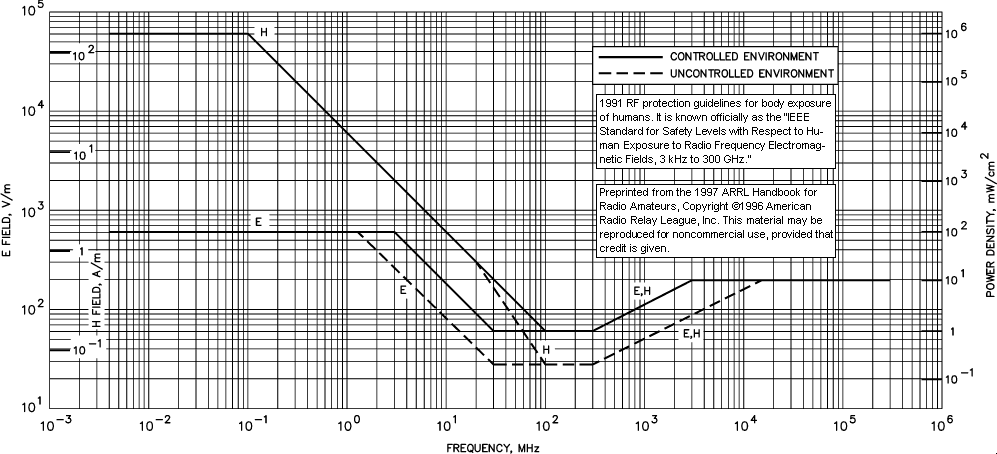

I'm a network admin for a small managed service provider.
Happy to provide more detail if needed:)